
Sold by: Madarson IT
Deployed on AWS
AWS Free Tier
This product has charges associated with it for the pre-configured Ubuntu desktop environment and RDP access. Madarson IT pre-configured Ubuntu 22.04 LTS Desktop AMI with instant RDP access - launch a secure cloud desktop in minutes without manual setup.
These options are for Madarson IT Ubuntu 22.04 LTS Desktop - Pre-Configured RDP.
View 2 other optionsOverview

Image
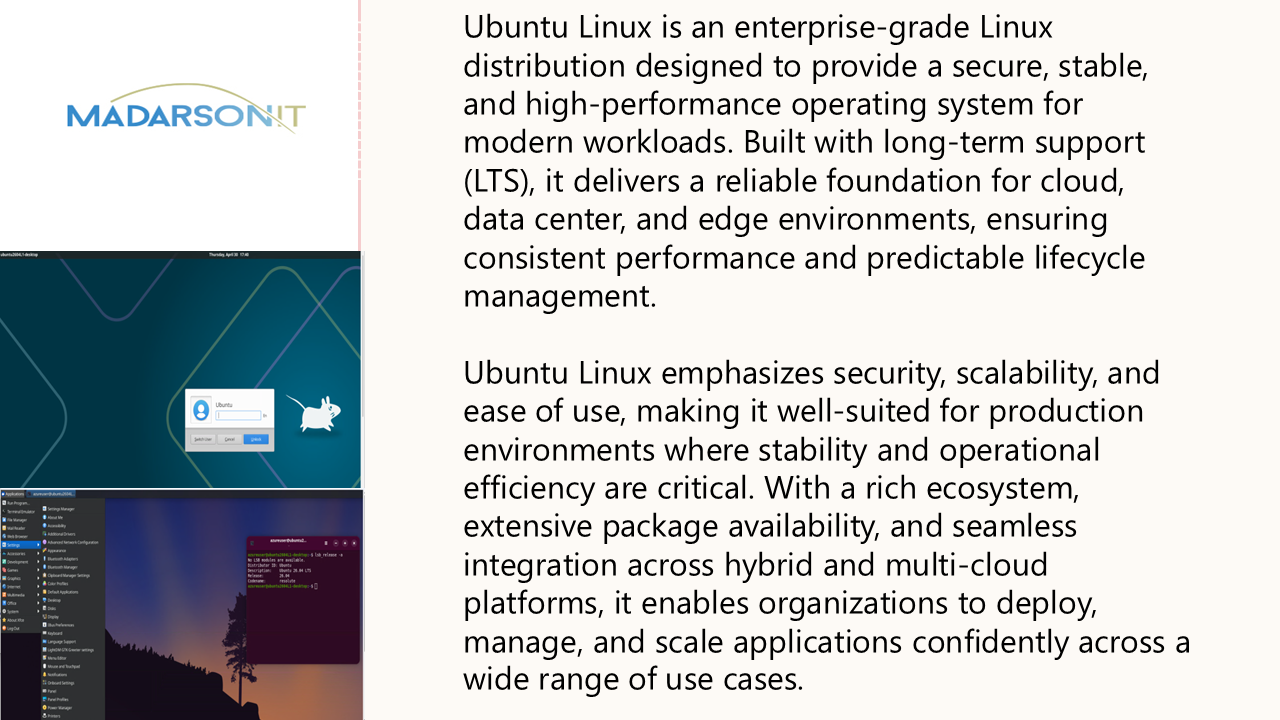
Ubuntu 22.04 Desktop
Image
Ubuntu LTS Features
Madarson IT Ubuntu 22.04 LTS Desktop with GUI/RDP Access
This is a repackaged open source software product wherein additional charges apply for the pre-configured desktop environment, RDP access setup, and ongoing maintenance of this image.
Need a secure, ready-to-use Linux desktop in the cloud without hours of configuration? This pre-configured Ubuntu 22.04 LTS Desktop AMI from Madarson IT lets you launch a fully functional GUI desktop environment and connect via RDP within minutes of instance launch - no manual package installation or desktop environment setup required.
Who Is This For?
- Remote developers and contractors who need standardized Linux desktop environments without shipping hardware
- IT teams provisioning secure cloud desktops for distributed workforces
- Small to mid-size organizations replacing on-premises Linux workstations with scalable cloud desktops
- Education and training providers deploying consistent lab environments for students
Use Case: Contractor Onboarding
Instead of shipping pre-configured laptops to new contractors, IT provisions a cloud desktop instance in minutes. The contractor connects via any standard RDP client from their existing device, accesses a fully configured Ubuntu desktop, and begins productive work immediately - all within a controlled, centrally managed environment.
What Is Included
- Ubuntu 22.04 LTS - Long-term support release with security updates through 2027
- Pre-configured desktop environment with GUI ready on first boot
- xrdp server configured for Remote Desktop Protocol access
- Madarson IT certified image - tested, updated, and built to work out of the box
Getting Started
- Launch the AMI on a supported EC2 instance (minimum recommended: t3.medium or higher with at least 2 vCPUs and 4 GB RAM for smooth GUI performance)
- Configure your Security Group to allow inbound TCP traffic on port 3389 (RDP) from your IP range
- Connect via RDP using any standard Remote Desktop client (Windows Remote Desktop, Remmina, Microsoft Remote Desktop for Mac)
- Log in with the credentials provided in the usage instructions after launch
Expected time from instance launch to working desktop: approximately 2-3 minutes.
AWS Integration
- Amazon CloudWatch - Monitor instance CPU, memory, and disk utilization for your cloud desktops
- AWS Systems Manager - Manage patching, run commands, and maintain compliance across multiple desktop instances
- Amazon S3 - Store and access files from your cloud desktop using native S3 integration
- AWS Directory Service - Integrate with Active Directory for centralized user authentication and access controls
Requirements and Limitations
- Supported instance types: General purpose (t3, m5, m6i) and compute-optimized (c5, c6i) families. GPU instances (g4dn) recommended for graphics-intensive workloads
- Minimum instance size: t3.medium (2 vCPUs, 4 GB RAM)
- Network: Security group must allow inbound TCP port 3389
- Storage: Root volume only - attach additional EBS volumes for persistent data storage
- Sessions: Single-user RDP session per instance
- Regions: Available in all standard AWS commercial regions
Security
- Regular image updates aligned with upstream Ubuntu security patches
- RDP sessions encrypted via TLS
- Unnecessary services disabled by default
- Unattended security upgrades configured
Why Madarson IT?
Madarson IT certified images are always up to date, secure, follow industry standards, and are built to work right out of the box. Each image is tested across supported instance families before publication to ensure reliable deployment.
Disclaimer: Ubuntu is a trademark of Canonical Ltd. This offering is provided by Madarson IT and is not affiliated with, endorsed by, or sponsored by Canonical Ltd.
Highlights
- Pre-configured RDP access out of the box - Launch an EC2 instance and connect to a fully functional Ubuntu 22.04 LTS desktop via any standard Remote Desktop client within minutes. No manual installation of desktop packages, xrdp server, or display managers required. Tested across supported instance families (t3, m5, c5, and more) for reliable first-boot connectivity.
- AWS-native management - Monitor desktop instances with Amazon CloudWatch, manage patching through AWS Systems Manager, store files on Amazon S3, and integrate user authentication via AWS Directory Service. Scale cloud desktops using familiar AWS tools without third-party management overhead.
- Secure and regularly updated - Ships with unnecessary services disabled, RDP sessions encrypted via TLS, and unattended security upgrades configured. Built on Ubuntu 22.04 LTS with security support through 2027, updated regularly with upstream patches to minimize vulnerability exposure across your fleet.
Details
Sold by
Categories
Delivery method
Delivery option
64-bit (x86) Amazon Machine Image (AMI)
Latest version
Operating system
Ubuntu 22.04
Deployed on AWS
Features and programs
Financing for AWS Marketplace purchases
AWS Marketplace now accepts line of credit payments through the PNC Vendor Finance program. This program is available to select AWS customers in the US, excluding NV, NC, ND, TN, & VT.

Pricing
Pricing is based on actual usage, with charges varying according to how much you consume. Subscriptions have no end date and may be canceled any time.
Additional AWS infrastructure costs may apply. Use the AWS Pricing Calculator to estimate your infrastructure costs.
If you are an AWS Free Tier customer with a free plan, you are eligible to subscribe to this offer. You can use free credits to cover the cost of eligible AWS infrastructure. See AWS Free Tier for more details. If you created an AWS account before July 15th, 2025, and qualify for the Legacy AWS Free Tier, Amazon EC2 charges for Micro instances are free for up to 750 hours per month. See Legacy AWS Free Tier for more details.
Dimension | Cost/hour |
|---|---|
m7a.medium Recommended | $0.025 |
t2.micro | $0.025 |
c6i.large | $0.05 |
c6id.large | $0.05 |
c6in.large | $0.05 |
c7a.large | $0.05 |
c7i.large | $0.05 |
i3.large | $0.05 |
i3en.large | $0.05 |
c4.large | $0.05 |
Dimensions summary
You pay by the hour for the software running on the EC2 instance size you pick. There is one flat software rate that applies across all listed instance types, plus the AWS infrastructure cost for the chosen size. The many options here are not tiers or plans. They are different EC2 instance sizes, from small general-purpose types up to large compute, memory, storage, GPU, and high-performance sizes. Larger or specialized instances cost more per hour because they provide more compute, memory, or hardware. Pick the size that matches your desktop workload and scale up or down as needed.
Top-of-mind questions for buyers
You get a pre-configured Ubuntu 22.04 LTS desktop image set up for remote desktop access. Each listed size maps to an EC2 instance with a specific mix of CPU, memory, and, for some, GPU or local storage. Larger sizes provide more of these resources per hour.
The software rate meters running time. A fully stopped instance stops accruing the hourly software charge. You may still pay underlying AWS storage fees for the attached disk while the instance is stopped. Charges resume when you start the instance again.
Both charges apply per hour and appear together. The software rate is flat across all listed instance types. The AWS infrastructure charge varies by the instance size you pick. Your total per-hour cost is the sum of these two charges for the chosen size.
madarsonit.com
Helpful?
Vendor refund policy
There is no refund policy for this image

Legal
Vendor terms and conditions
Upon subscribing to this product, you must acknowledge and agree to the terms and conditions outlined in the vendor's End User License Agreement (EULA) .
Content disclaimer
Vendors are responsible for their product descriptions and other product content. AWS does not warrant that vendors' product descriptions or other product content are accurate, complete, reliable, current, or error-free.
Delivery details
64-bit (x86) Amazon Machine Image (AMI)
Amazon Machine Image (AMI)
An AMI is a virtual image that provides the information required to launch an instance. Amazon EC2 (Elastic Compute Cloud) instances are virtual servers on which you can run your applications and workloads, offering varying combinations of CPU, memory, storage, and networking resources. You can launch as many instances from as many different AMIs as you need.
Version release notes
Ubuntu 22.04 LTS desktop image.
Additional details
Usage instructions
Allow inbound SSH access in your security group Allow inbound TCP port 3389 (RDP) Access the ec2 with the username: "ubuntu" Create a password for ubuntu user for RDP login using the CLI command: "sudo passwd ubuntu" Launch RDP program and enter the ubuntu user credentials
Resources
Vendor resources
Support
Vendor support
For technical support, private offers, or pricing inquiries, contact Madarson IT at info@madarsonit.com .
Support scope includes:
- Initial instance launch and RDP connectivity issues
- Image configuration questions
- Private offer and custom pricing requests
- Reporting image defects or security concerns
Please include your AWS instance ID and region when submitting technical inquiries to expedite troubleshooting.
AWS infrastructure support
AWS Support is a one-on-one, fast-response support channel that is staffed 24x7x365 with experienced and technical support engineers. The service helps customers of all sizes and technical abilities to successfully utilize the products and features provided by Amazon Web Services.
Similar products

This product has charges associated with it for security hardening and compliance alignment. Madarson IT pre-hardened Ubuntu 22.04 LTS virtual desktop with GUI and RDP access, aligned to NIST CSF, PCI DSS, and HIPAA frameworks for secure cloud workstations.

This product has charges associated with it for RDP and Docker optimization. Launch Docker containers and connect via remote desktop in minutes with this pre-configured Ubuntu 22.04 LTS AMI - ideal for developers without dedicated DevOps staff.

This product has charges associated with it for GUI and RDP pre-configuration. Pre-configured Ubuntu 24.04 LTS cloud desktop by Madarson IT. Launch on AWS EC2 and connect instantly via any RDP client - no VNC needed.

This product has charges associated with it for RDP and Docker optimization. Pre-configured Ubuntu 24.04 LTS desktop AMI with Docker and xrdp ready to use, built for teams deploying containerized apps via remote GUI access.
Customer reviews
No customer reviews yet
Be the first to review this product . We've partnered with PeerSpot to gather customer feedback. You can share your experience by writing or recording a review, or scheduling a call with a PeerSpot analyst.