
Sold by: Madarson IT
Deployed on AWS
AWS Free Tier
This product has charges associated with it for GUI and RDP pre-configuration. Pre-configured Ubuntu 24.04 LTS cloud desktop by Madarson IT. Launch on AWS EC2 and connect instantly via any RDP client - no VNC needed.
Overview

Image
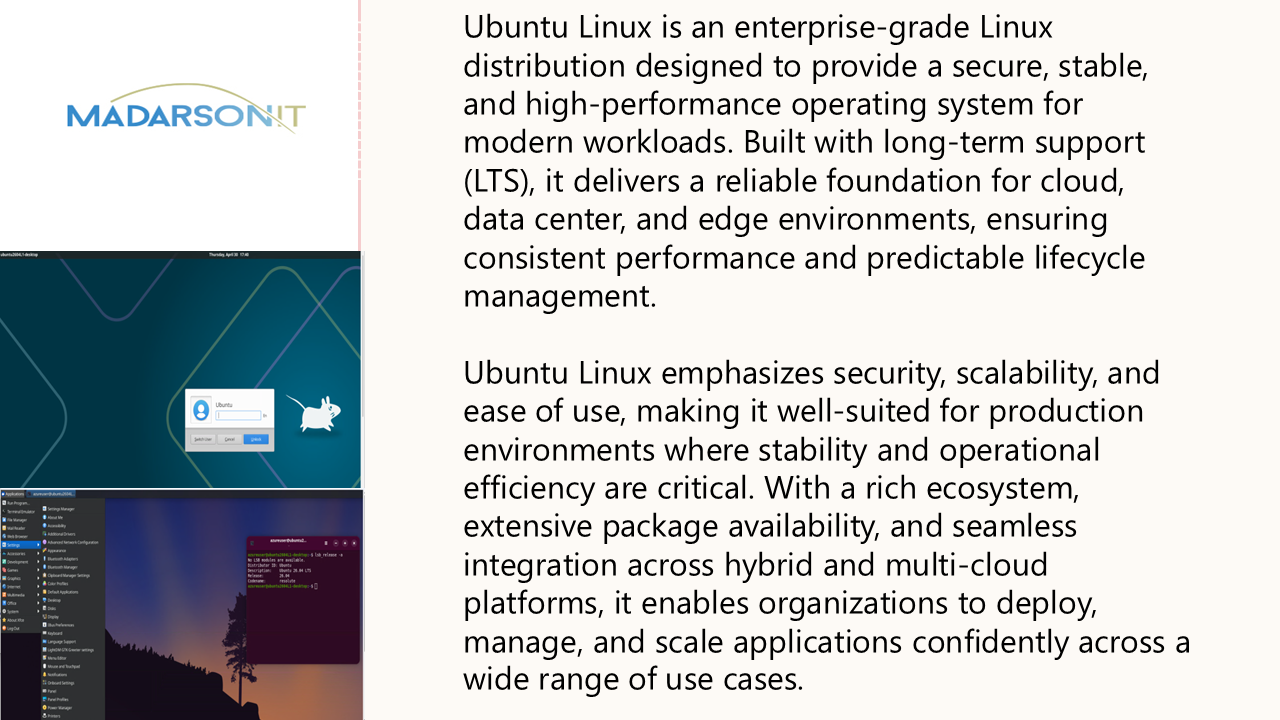
Ubuntu 24.04 LTS Desktop/GUI
Image
Ubuntu LTS Features
Ubuntu 24.04 LTS Desktop - Ready-to-Use Cloud Workstation
This is a repackaged product. Additional charges apply for GUI and RDP pre-configuration beyond standard AWS infrastructure costs.
Get a full Ubuntu 24.04 LTS desktop environment running on AWS EC2 in minutes. Pre-configured with a graphical user interface and RDP access, this AMI eliminates manual setup so developers, data scientists, cloud architects, and remote workers can start productive work immediately after launch.
What This AMI Delivers
- Full GUI Desktop Environment - A complete Ubuntu 24.04 LTS desktop with graphical interface, ready at first boot with no manual configuration required
- RDP Access - Connect using any standard RDP client including Windows Remote Desktop Connection, macOS Microsoft Remote Desktop, or Remmina on Linux
- Ubuntu 24.04 LTS - The latest long-term support release with security updates and maintenance through 2034
- Pre-installed Productivity Tools - Common development and productivity applications included out of the box
- AWS EC2 Optimized - Designed to run on AWS EC2 instances for reliable, scalable cloud desktop access
Key Use Cases
- Remote Development Environment - Spin up identical development desktops for distributed teams and contractors without shipping hardware
- Cloud-Based Workstation - Access a full Linux desktop from any device with an internet connection for remote and hybrid work
- Data Science and Analytics - Run GUI-based data tools, Jupyter notebooks, and visualization software in a cloud environment with scalable compute
- GUI-Based Administration - Manage servers, databases, and cloud resources through graphical tools when CLI is not preferred
- Software Testing - Create disposable desktop environments for QA testing across different configurations
- Education and Training - Provide students or trainees with standardized Linux desktop labs without physical infrastructure
Why RDP
This AMI uses Remote Desktop Protocol (RDP) rather than VNC for remote access. RDP offers several advantages:
- No special client needed - Windows includes Remote Desktop Connection built-in; macOS and Linux have free RDP clients readily available
- Better performance - RDP is optimized for bandwidth efficiency, providing smoother interaction over network connections
- Native clipboard and file sharing - Copy and paste text and transfer files between your local machine and the remote desktop seamlessly
- Multi-monitor support - Use multiple displays with your cloud desktop just as you would locally
Getting Started
- Launch the AMI - Select your preferred EC2 instance type (t3.medium or larger recommended) and launch the instance
- Configure Security Group - Ensure your security group allows inbound TCP traffic on port 3389 (RDP). Restrict access to your IP address for security
- Connect via RDP - Open your RDP client, enter the instance public IP or Elastic IP, and log in with the credentials provided at launch
- Start Working - Your full Ubuntu 24.04 desktop is ready for use immediately upon connection
Requirements and Limitations
- Minimum Instance Type: t3.medium (2 vCPU, 4 GB RAM) or equivalent recommended
- Architecture: x86_64 (AMD64) instances only
- Network: Security group must allow inbound TCP port 3389 from your IP
- Storage: Minimum 20 GB EBS volume recommended
- Elastic IP: Recommended for persistent access to avoid IP changes on stop/start
About Madarson IT
Madarson IT provides pre-configured cloud desktop solutions across major cloud marketplaces including AWS, GCP, and Azure. Our AMIs are designed to eliminate setup complexity and deliver ready-to-use desktop environments for teams and individuals who need reliable cloud workstations.
Disclaimer
Ubuntu is a registered trademark of Canonical Ltd. This product is not endorsed by or affiliated with Canonical. Ubuntu 24.04 LTS is provided under its standard open-source license terms.
Highlights
- Pre-Configured GUI Desktop Ready at First Boot - Launch this AMI and get a full Ubuntu 24.04 LTS graphical desktop environment without any manual installation or configuration. The desktop is operational immediately upon instance start, eliminating hours of setup time for GUI packages, display managers, and remote access services. Ideal for developers, data scientists, and remote workers who need a Linux workstation in the cloud without CLI-only workflows.
- RDP Access Via Any Standard RDP Client - Connect using Windows Remote Desktop Connection, macOS Microsoft Remote Desktop, Remmina, or any RDP-compatible client. No VNC viewer or special software required. RDP provides efficient bandwidth usage, native clipboard sharing, file transfer support, and multi-monitor capability for a seamless remote desktop experience.
- Ubuntu 24.04 LTS With Long-Term Support Through 2034 - Built on the latest Ubuntu Long Term Support release, this AMI receives security patches and maintenance updates for ten years. You get access to the full Ubuntu package ecosystem, modern kernel, and latest stable software versions while maintaining enterprise-grade stability. Deploy with confidence knowing your cloud desktop platform has a decade of supported life ahead.
Details
Sold by
Delivery method
Delivery option
64-bit (x86) Amazon Machine Image (AMI)
Latest version
Operating system
Ubuntu 24.04
Deployed on AWS
Features and programs
Financing for AWS Marketplace purchases
AWS Marketplace now accepts line of credit payments through the PNC Vendor Finance program. This program is available to select AWS customers in the US, excluding NV, NC, ND, TN, & VT.

Pricing
Pricing is based on actual usage, with charges varying according to how much you consume. Subscriptions have no end date and may be canceled any time.
Additional AWS infrastructure costs may apply. Use the AWS Pricing Calculator to estimate your infrastructure costs.
If you are an AWS Free Tier customer with a free plan, you are eligible to subscribe to this offer. You can use free credits to cover the cost of eligible AWS infrastructure. See AWS Free Tier for more details. If you created an AWS account before July 15th, 2025, and qualify for the Legacy AWS Free Tier, Amazon EC2 charges for Micro instances are free for up to 750 hours per month. See Legacy AWS Free Tier for more details.
- ...
Dimension | Cost/hour |
|---|---|
t3.large Recommended | $0.04 |
t3.micro | $0.04 |
t2.micro | $0.02 |
r7i.48xlarge | $7.68 |
m1.large | $0.04 |
m5.4xlarge | $0.32 |
r5.large | $0.04 |
r5.8xlarge | $0.64 |
r3.xlarge | $0.08 |
r6a.32xlarge | $2.56 |
Dimensions summary
You pay by the hour for the software running on your chosen Amazon EC2 instance. Each dimension maps to a specific instance type, so pricing scales with the compute size you select. Smaller shared types like t2.micro and t3.medium carry the lowest hourly software rates. Compute-focused (c-family), memory-focused (r-family), general-purpose (m-family), storage (d-family), GPU (g-family), and high-memory (u-family) types all appear. Rates rise as vCPU and memory increase within each family. You run the hardened Ubuntu 24.04 desktop image and stop billing when you stop the instance.
Top-of-mind questions for buyers
The software fee meters only running instance-hours. When you stop the instance, the hourly software charge stops too. You may still pay underlying AWS storage fees for the disk volume, but the software licence bills running time only.
Each rate covers the hardened Ubuntu 24.04 LTS desktop image with GUI and RDP access, running on the AWS EC2 instance type you pick. The instance type sets the vCPU, memory, and any GPU or storage capacity behind that desktop.
Billing multiplies your chosen hourly rate by each instance's running hours. Two instances of the same type running one hour each cost the same as one instance running two hours. Different instance types carry different hourly rates, so mixing types changes the total.
madarsonit.com
Helpful?
Vendor refund policy
There is no refund policy for this image.

Legal
Vendor terms and conditions
Upon subscribing to this product, you must acknowledge and agree to the terms and conditions outlined in the vendor's End User License Agreement (EULA) .
Content disclaimer
Vendors are responsible for their product descriptions and other product content. AWS does not warrant that vendors' product descriptions or other product content are accurate, complete, reliable, current, or error-free.
Delivery details
64-bit (x86) Amazon Machine Image (AMI)
Amazon Machine Image (AMI)
An AMI is a virtual image that provides the information required to launch an instance. Amazon EC2 (Elastic Compute Cloud) instances are virtual servers on which you can run your applications and workloads, offering varying combinations of CPU, memory, storage, and networking resources. You can launch as many instances from as many different AMIs as you need.
Version release notes
Ubuntu 24.04 LTS desktop image.
Additional details
Usage instructions
Allow inbound SSH (TCP Port 22) access in your security group Allow inbound TCP port 3389 (RDP) Access the ec2 with the username: "ubuntu" Create a password for ubuntu user for RDP login using the CLI command: "sudo passwd ubuntu" Launch RDP program and enter the ubuntu credentials
Resources
Vendor resources
Support
Vendor support
Contact Madarson IT
For questions about this product, private offers, or technical assistance, contact Madarson IT at info@madarsonit.com .
Support Scope
Madarson IT provides support for issues related to the pre-configured Ubuntu 24.04 LTS Desktop AMI, including:
- RDP connectivity and configuration questions
- Desktop environment issues specific to this AMI
- Private offer and volume licensing inquiries
- General product questions
Please note that standard Ubuntu operating system support and AWS infrastructure support should be directed to Canonical and AWS respectively.
How to Get Help
When contacting support, please include your AWS instance ID, region, and a description of the issue you are experiencing. This helps us respond more efficiently.
AWS infrastructure support
AWS Support is a one-on-one, fast-response support channel that is staffed 24x7x365 with experienced and technical support engineers. The service helps customers of all sizes and technical abilities to successfully utilize the products and features provided by Amazon Web Services.
Similar products

This product has charges associated with it for RDP and Docker optimization. Pre-configured Ubuntu 24.04 LTS desktop AMI with Docker and xrdp ready to use, built for teams deploying containerized apps via remote GUI access.

This product has charges associated with it for security hardening and compliance alignment. Madarson IT pre-hardened Ubuntu 24.04 LTS virtual desktop AMI with pre-configured GUI/RDP access, mapped to NIST CSF, PCI DSS, and HIPAA frameworks for production compliance.

This product has charges associated with it for the pre-configured Ubuntu desktop environment and RDP access. Madarson IT pre-configured Ubuntu 22.04 LTS Desktop AMI with instant RDP access - launch a secure cloud desktop in minutes without manual setup.

This product has charges associated with it for security hardening and compliance alignment. Madarson IT pre-hardened Ubuntu 22.04 LTS virtual desktop with GUI and RDP access, aligned to NIST CSF, PCI DSS, and HIPAA frameworks for secure cloud workstations.
Customer reviews
No customer reviews yet
Be the first to review this product . We've partnered with PeerSpot to gather customer feedback. You can share your experience by writing or recording a review, or scheduling a call with a PeerSpot analyst.