
Sold by: Madarson IT
Deployed on AWS
This product has charges associated with it for security hardening and compliance alignment. Madarson IT pre-hardened Ubuntu 22.04 LTS virtual desktop with GUI and RDP access, aligned to NIST CSF, PCI DSS, and HIPAA frameworks for secure cloud workstations.
These options are for Madarson IT Hardened Ubuntu 22.04 LTS Desktop with GUI/RDP.
View 3 other optionsOverview

Image
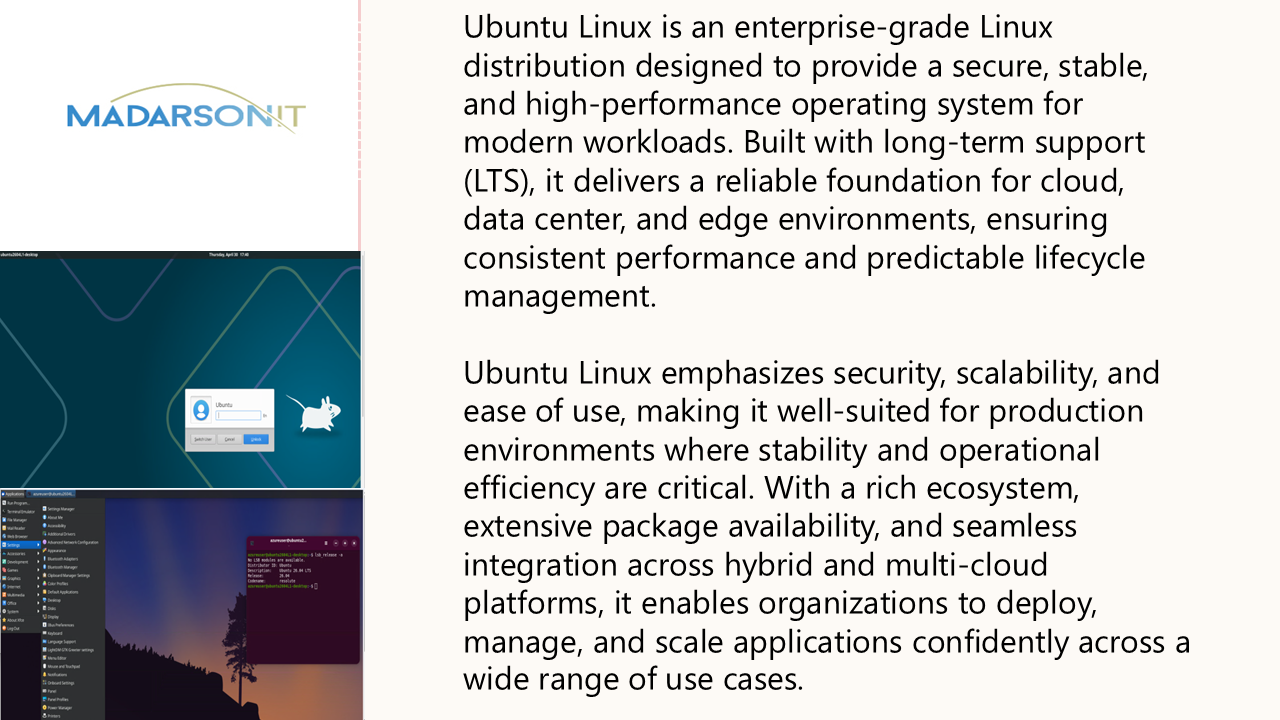
Ubuntu 22.04 GUI Interface
Image
Ubuntu LTS Features
Madarson IT Hardened Ubuntu 22.04 LTS Desktop
This is a repackaged open source software product wherein additional charges apply for security hardening, compliance alignment, and ongoing maintenance of this image.
Deploy a security-hardened Ubuntu 22.04 LTS virtual desktop on AWS with pre-configured GUI and RDP access. Madarson IT certified images are built to help organizations establish audit-ready workstations without spending weeks on manual hardening configuration.
What Is Included
- Ubuntu 22.04 LTS with full desktop environment
- Pre-configured RDP access for remote connectivity
- Security hardening applied at the OS level before first boot
- Regular updates and patch management readiness
- Optimized for use as a secure cloud-based workstation
Security Hardening Details
This image applies hardening measures aligned to multiple established standards and regulatory frameworks:
- NIST Cybersecurity Framework (CSF) - Controls mapped to Identify, Protect, Detect, Respond, and Recover functions
- ISO 27000 series - Information security management alignment
- PCI DSS - Payment card industry data security controls
- HIPAA - Healthcare data protection requirements
Hardening reduces the attack surface by limiting potential weaknesses that make systems vulnerable to unauthorized access, denial of service, and other cyber threats. Measures include stringent access controls, service minimization, and robust system configuration settings designed to enhance overall system integrity and resilience.
Because this product provides GUI and RDP access - which can expand the attack surface - additional security controls are applied to mitigate RDP-specific risks while maintaining usability for desktop workflows.
AWS Integration Points
- Amazon CloudWatch - Monitor instance health, resource utilization, and security events
- AWS Systems Manager - Manage patching, configuration compliance, and inventory for deployed instances
- AWS IAM - Control who can launch, connect to, and manage hardened desktop instances
- Amazon VPC - Deploy within isolated network segments with security group rules controlling RDP access
- AWS Backup - Create automated snapshots and recovery points for your desktop instances
Use Case: Secure Remote Workstations
Organizations in regulated industries - such as healthcare IT teams accessing EHR systems, financial services firms providing compliant developer workstations for contractors, or any team requiring auditable remote desktop access - can deploy this image to provide secure, compliant workstations without building hardening configurations from scratch.
This approach is particularly valuable for teams that need to demonstrate compliance during audits but lack dedicated security staff to manually harden each desktop instance.
Why Madarson IT
Madarson IT certified images are always up to date, secure, follow industry standards, and are built to work right out of the box. Our hardened images help organizations establish a baseline level of security and reduce risk exposure to common cyber threats.
Getting Started
- Launch the AMI on a supported EC2 instance
- Configure your security group to allow inbound TCP port 3389 (RDP) from your IP range
- Connect via any standard Remote Desktop client
- Log in with the credentials provided in the usage instructions after launch
Disclaimer: Ubuntu is a trademark of Canonical Ltd. This offering is provided by Madarson IT and is not affiliated with, endorsed by, or sponsored by Canonical Ltd.
Highlights
- Compliance Framework Alignment: This hardened image maps to NIST Cybersecurity Framework (CSF), ISO 27000 series, PCI DSS, and HIPAA. Organizations in regulated industries can deploy audit-ready workstations that demonstrate baseline compliance without manual hardening effort, satisfying auditor requirements across multiple frameworks simultaneously.
- Security Hardening With RDP Access: Hardening reduces the attack surface by limiting weaknesses that make systems vulnerable to unauthorized access, denial of service, and other cyber threats. Additional security controls mitigate RDP-specific risks, delivering usable desktop workflows without sacrificing the security posture that regulated environments require.
- AWS-Native Deployment and Management: Deploy within Amazon VPC for network isolation, monitor with Amazon CloudWatch, manage patching through AWS Systems Manager, control access via AWS IAM, and create recovery points with AWS Backup. Integrates into existing AWS operational workflows as a standard EC2 instance.
Details
Sold by
Categories
Delivery method
Delivery option
64-bit (x86) Amazon Machine Image (AMI)
Latest version
Operating system
Ubuntu 22.04
Deployed on AWS
Features and programs
Financing for AWS Marketplace purchases
AWS Marketplace now accepts line of credit payments through the PNC Vendor Finance program. This program is available to select AWS customers in the US, excluding NV, NC, ND, TN, & VT.

Pricing
Pricing is based on actual usage, with charges varying according to how much you consume. Subscriptions have no end date and may be canceled any time.
Additional AWS infrastructure costs may apply. Use the AWS Pricing Calculator to estimate your infrastructure costs.
Dimension | Cost/hour |
|---|---|
m5.large Recommended | $0.05 |
c3.xlarge | $0.10 |
c5.12xlarge | $1.20 |
c4.xlarge | $0.10 |
c5.9xlarge | $0.80 |
c1.xlarge | $0.10 |
d3.xlarge | $0.10 |
t2.2xlarge | $0.20 |
t2.medium | $0.05 |
t3.medium | $0.05 |
Dimensions summary
You pay by the hour for this hardened Ubuntu desktop image, billed per running instance. Pricing scales with the EC2 instance type you choose. The many dimensions map to AWS instance families, each sized for different workloads. General-purpose (t2, t3, m-series) and compute-optimized (c-series) options suit standard desktop use. Memory-optimized (r-series), storage-optimized (d3, i-series), and GPU-backed (p-series, g5) options serve heavier needs. Within each family, larger sizes carry more CPU and memory and cost more per hour. You add AWS infrastructure charges separately and can stop instances to stop hourly software charges.
Top-of-mind questions for buyers
You get a security-hardened Ubuntu 22.04 desktop image with a graphical interface and remote desktop access. The image ships pre-configured for compliance frameworks. It runs on the EC2 instance type you pick, and that instance's CPU and memory determine the hourly rate.
The hourly software charge meters only running time. When you stop an instance, that charge stops accruing. Restarting resumes it. Stopped instances may still incur separate AWS storage fees for the attached volume, but those are AWS infrastructure costs, not the software licence.
Two charges apply per running hour and appear together. One is the Madarson IT software rate tied to your chosen instance type. The other is the standard AWS EC2 infrastructure cost for that instance. They bill independently and add up; larger instance types raise both.
madarsonit.com
Helpful?
Vendor refund policy
There is no refund policy for this image.

Legal
Vendor terms and conditions
Upon subscribing to this product, you must acknowledge and agree to the terms and conditions outlined in the vendor's End User License Agreement (EULA) .
Content disclaimer
Vendors are responsible for their product descriptions and other product content. AWS does not warrant that vendors' product descriptions or other product content are accurate, complete, reliable, current, or error-free.
Delivery details
64-bit (x86) Amazon Machine Image (AMI)
Amazon Machine Image (AMI)
An AMI is a virtual image that provides the information required to launch an instance. Amazon EC2 (Elastic Compute Cloud) instances are virtual servers on which you can run your applications and workloads, offering varying combinations of CPU, memory, storage, and networking resources. You can launch as many instances from as many different AMIs as you need.
Version release notes
Hardened Ubuntu 22.04 LTS Desktop image with RDP/GUI Access
Additional details
Usage instructions
Allow inbound SSH access in your security group Allow inbound TCP port 3389 (RDP)
To connect to your instance using the Amazon EC2 console
Open the Amazon EC2 console at <https://console.usvm.9mmj.com/ec2/>. In the navigation pane, choose Instances.
Select the instance and choose Connect.
Choose the EC2 Instance Connect tab.
For Connection type, choose Connect using EC2 Instance Connect.
If there is a choice, select the IP address to connect to. Otherwise, the IP address is selected automatically.
For Username, verify the username as ubuntu.
Choose Connect to open a terminal window.
Access the ec2 with the username: "ubuntu"
To connect using RDP program: Create a password for ubuntu user for RDP login using the CLI command: "sudo passwd ubuntu" Launch RDP client, then enter the public IP of the instance and then enter the ubuntu credentials i.e username is ubuntu and the password you created
Resources
Vendor resources
Support
Vendor support
For questions about this hardened Ubuntu 22.04 LTS Desktop image, including configuration assistance, connectivity issues, and compliance inquiries, contact Madarson IT at info@madarsonit.com .
Support scope includes:
- Private offers and custom licensing arrangements
- Audit and compliance consultation
- RDP connectivity and desktop access troubleshooting
- Security hardening configuration questions
When contacting support, please include your AWS account ID, instance ID, and a description of the issue or request.
AWS infrastructure support
AWS Support is a one-on-one, fast-response support channel that is staffed 24x7x365 with experienced and technical support engineers. The service helps customers of all sizes and technical abilities to successfully utilize the products and features provided by Amazon Web Services.
Similar products

This product has charges associated with it for security hardening and compliance alignment. Madarson IT pre-hardened Ubuntu 24.04 LTS virtual desktop AMI with pre-configured GUI/RDP access, mapped to NIST CSF, PCI DSS, and HIPAA frameworks for production compliance.

This product has charges associated with it for GUI and RDP pre-configuration. Pre-configured Ubuntu 24.04 LTS cloud desktop by Madarson IT. Launch on AWS EC2 and connect instantly via any RDP client - no VNC needed.

This product has charges associated with it for the pre-configured Ubuntu desktop environment and RDP access. Madarson IT pre-configured Ubuntu 22.04 LTS Desktop AMI with instant RDP access - launch a secure cloud desktop in minutes without manual setup.

This product has charges associated with it for security hardening, RDP pre-configuration, and GUI access. Madarson IT hardened Ubuntu 26.04 LTS cloud desktop with pre-configured Xfce and RDP access. Deploy a compliance-aligned graphical workspace on EC2 without manual hardening.
Customer reviews
No customer reviews yet
Be the first to review this product . We've partnered with PeerSpot to gather customer feedback. You can share your experience by writing or recording a review, or scheduling a call with a PeerSpot analyst.