
Sold by: LastPass
Deployed on AWS
Free Trial
AWS Free Tier
LastPass protects sensitive credentials, streamlines account access, and fosters seamless collaboration across the distributed workforce.
4.5
Overview
LastPass Business protects sensitive credentials, streamlines account access, and fosters seamless collaboration across the distributed workforce. The premier cloud-based password manager, LastPass, protects organizations of all sizes by preventing unauthorized access, account takeovers, and data breaches caused by weak, reused, or stolen credentials. It ensures convenient access to business-critical SaaS apps and online accounts, enabling secure internal and external collaboration for maximum productivity and efficiency across a distributed workforce. Built on zero-knowledge security architecture and backed by the EPM industry's only dedicated threat intelligence team, LastPass empowers users and admins to securely and effortlessly generate, share, access, manage, reset, and revoke credentials, folders, and notes. With over 120 user management policies and privileges, adaptive multi-factor authentication, and native integrations with popular Directory, Federated, and SIEM solutions, LastPass standardizes password management and boosts online security and privacy without sacrificing the user experience.
Adding Business Max, LastPass's NEW feature set, provides the most enhanced level of secure access for any business. It includes SaaS Monitoring, unlimited SSO, and advanced MFA capabilities. SaaS Monitoring, powered by the LastPass browser extension, tracks and aggregates business application usage across organizations, so IT admins and business leaders can uncover Shadow IT and Shadow AI, while optimizing their SaaS application costs by identifying over- or under-used applications.
Top Product Benefits - Overview:
-
Security + Compliance: Enforce strong password policies and multi-factor authentication, monitor SaaS apps for Shadow IT and over-provisioning, discover leaked credentials on the dark web, establish role-based, temporary, and privileged access controls, and integrate password hygiene data into SIEMs to protect your organization from threats and achieve compliance.
-
Convenience: Features including but not limited to one-click autofill, auto save, auto synch, passwordless authentication, and universal accessibility across all major Desktop, Browsers, Mobile and Operating Systems. A centralized Command Center simplifies policy and privilege enforcement for admins, while integrations with Entra/IdPs, PAMs, and IAMs streamline end user management.
-
Collaboration: Bridge the gap between access management tools and non-SSO configurable SaaS apps. Support cross-functional projects and maximize productivity for hybrid, Gig workers, agency partners, and freelancers with customizable access controls, and secure sharing and synching of credentials, folders, and notes.
-
Cost Savings: Reduce the risk of million-dollar data breach expenses and non-compliance penalties by securing credentials and preventing unauthorized access. Alleviate help desk costs from password resets and account lockouts, save thousands by avoiding having to build native SSO integrations, and achieve affordable cyber insurance premiums.
Additional Benefits with Business Max:
-
Uncover Unvetted Apps and AI-powered Tools (Shadow IT and Shadow AI): Identify any unapproved apps your teams may be using, so you can manage your technology landscape better and keep company data safe.
-
Cut Costs and Maximize App Value: Spot duplicated, unused, or over-provisioned apps to reduce wasteful spending and make sure each tool is fully utilized.
-
Boost Security and Enforce Policies: Track app usage and user activity to ensure security policies are followed consistently and sensitive data is protected.
-
Stay Compliant and Protect Agreements: Meet regulatory and contractual standards to keep data secure, protect valuable business relationships, and avoid potential fines.
-
Prepare for Disruptions and Prevent Data Loss: Identify critical apps for continuity planning, and prevent data loss by catching risky behaviors, such as improper data sharing or access issues when employees leave.
If you're interested in a Private Offer, please contact us at Marketplace@lastpass.com . 15 license minimum to qualify for a Private Offer
Highlights
- Securely share sensitive information with anyone, anywhere: Enable the workforce to create, manage and securely share credentials, folders and notes - internally and externally in real-time.
- Complement your identity and tech stack: Through native integrations, expedite onboarding and offboarding and simplify user logins by securing all credential-based accounts not covered by SSO.
- Stop Account Takeover and Data Breaches: Safeguard the integrity and availability of accounts and applications, and the confidentiality of credentials from malicious, illegal, or accidental activities.
Details
New
Introducing multi-product solutions
You can now purchase comprehensive solutions tailored to use cases and industries.

Features and programs
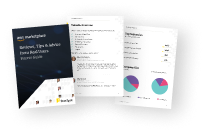
Buyer guide
Gain valuable insights from real users who purchased this product, powered by PeerSpot.
Financing for AWS Marketplace purchases
AWS Marketplace now accepts line of credit payments through the PNC Vendor Finance program. This program is available to select AWS customers in the US, excluding NV, NC, ND, TN, & VT.

Pricing
Free trial
Try this product free according to the free trial terms set by the vendor.
Pricing is based on the duration and terms of your contract with the vendor. This entitles you to a specified quantity of use for the contract duration. If you choose not to renew or replace your contract before it ends, access to these entitlements will expire.
Additional AWS infrastructure costs may apply. Use the AWS Pricing Calculator to estimate your infrastructure costs.
Dimension | Description | Cost/12 months |
|---|---|---|
LastPass Business | 1 License - Scalable, comprehensive password and identity management. | $84.00 |
LastPass Business Max | 1 Add-on License: Business Max w/advanced SSO, MFA, & SaaS Monitoring | $108.00 |
Dimensions summary
You buy this product by license, priced per unit. The LastPass Business license covers password and identity management for one user. LastPass Business Max is an add-on license that layers on single sign-on, multifactor authentication, and SaaS monitoring. You scale cost by adding licenses for each user you cover. The two dimensions work together: start with Business licenses, then add Business Max licenses where you want the extra access-control and app-visibility features. Both are billed as a contract commitment.
Top-of-mind questions for buyers
One license covers one user. Each person you want to protect needs their own LastPass Business license. If you add Business Max, you buy one add-on license per user who needs single sign-on, multifactor authentication, and SaaS monitoring features.
Yes. Business Max is an add-on license. It layers extra access-control and app-visibility features on top of the base Business license. You buy Business licenses first, then add Business Max where you want single sign-on, advanced multifactor authentication, and SaaS monitoring.
The base Business license handles the password vault, sharing, and admin console. The Business Max add-on adds SaaS Monitoring to discover apps in use, SaaS Protect to block or restrict risky apps, unlimited single sign-on connections, and advanced multifactor authentication across workstations and VPNs.
www.lastpass.com
Helpful?
Vendor refund policy
Except where otherwise specified in the EULA, any and all payments you make to us for access to the Services are final and non-refundable.
Custom pricing options
Request a private offer to receive a custom quote.

Legal
Vendor terms and conditions
Upon subscribing to this product, you must acknowledge and agree to the terms and conditions outlined in the vendor's End User License Agreement (EULA) .
Content disclaimer
Vendors are responsible for their product descriptions and other product content. AWS does not warrant that vendors' product descriptions or other product content are accurate, complete, reliable, current, or error-free.
Delivery details
Software as a Service (SaaS)
SaaS delivers cloud-based software applications directly to customers over the internet. You can access these applications through a subscription model. You will pay recurring monthly usage fees through your AWS bill, while AWS handles deployment and infrastructure management, ensuring scalability, reliability, and seamless integration with other AWS services.
Resources
Support
Vendor support
Please feel free to reach out to LastPass Support 24/7 for any of the following challenges:
1.) Account and Access Issues: Assistance with login problems, account recovery, and access-related queries. 2.) Password Management: Help with setting up and managing passwords, including password resets and security best practices. 3.) Multi-Factor Authentication (MFA): Support for configuring and troubleshooting MFA options. Browser Extensions and Mobile Apps: Guidance on using LastPass browser extensions and mobile apps effectively. 4.) Sharing and Permissions: Assistance with sharing passwords securely and managing permissions within teams. 5.) Billing and Subscription: Help with billing inquiries, plan upgrades, and subscription-related issues. 6.) Security Concerns: Support for addressing security concerns, such as suspicious activity or potential breaches.
They can be reached at support@lastpass.com and
AWS infrastructure support
AWS Support is a one-on-one, fast-response support channel that is staffed 24x7x365 with experienced and technical support engineers. The service helps customers of all sizes and technical abilities to successfully utilize the products and features provided by Amazon Web Services.
Updated weekly
By LastPass
By BeyondTrust Corporation
By One Identity
Top
10
In Centralized Identity Management, Device Security
Top
10
In Financial Services
Top
100
In Applications
Sentiment is AI generated from actual customer reviews on AWS and G2
Functionality
Ease of use
Customer service
Cost effectiveness
Positive reviews
Mixed reviews
Negative reviews
AI generated from product descriptions
Zero-Knowledge Security Architecture
Built on zero-knowledge security architecture to ensure credentials and sensitive data are protected with encryption that prevents unauthorized access.
Multi-Factor Authentication
Adaptive multi-factor authentication capabilities with advanced MFA options to prevent account takeover and unauthorized access.
SaaS Application Monitoring
SaaS Monitoring powered by browser extension that tracks and aggregates business application usage to identify Shadow IT, Shadow AI, and over-provisioned or under-utilized applications.
Directory and Identity Integration
Native integrations with Directory, Federated, and SIEM solutions including Entra/IdPs, PAMs, and IAMs for streamlined user management and credential hygiene data aggregation.
Role-Based Access Control
Over 120 user management policies and privileges including role-based, temporary, and privileged access controls for granular credential and account management.
Centralized Identity and Access Visibility
Provides centralized view of identities, accounts, entitlements, and privileged access across IT estate with threat detection capabilities for compromised identities and privileged access misuse
Privileged Credential Management
Manages privileged passwords, accounts, credentials, secrets, and sessions for human and machine identities with zero trust enforcement
Privileged Remote Access Control
Enables granular control, management, and auditing of remote privileged access for employees, vendors, developers, and cloud operations engineers
Endpoint Privilege Management
Enforces least privilege on Windows, macOS, and Linux systems through local admin rights removal, sudo replacement with centralized audited solutions, and application control
Threat Detection and Analytics
Delivers advanced discovery, intelligence, and deep contextual analytics to detect threats, identify hidden attack paths, and combat identity-based attacks across infrastructure
Single Sign-On (SSO)
Automatically synchronizes users across multiple directories to enable one-click access to corporate applications on-premises and in the cloud with enforced security policies and self-service password reset capabilities.
Multi-Factor Authentication (MFA)
Supports multiple authentication methods including passwordless authentication, passkeys, one-time passcodes, push notifications, biometric data, and security keys with real-time reporting and monitoring of authentication events.
Adaptive Authentication
Delivers multi-layer, context-aware and risk-based protection to minimize common attacks and enforce contextual access security policies based on user behavior and risk assessment.
Identity Lifecycle Management
Provides role-based user provisioning engine with granular access permissions, least-privileged access controls, and automated user account provisioning across AWS services and third-party applications.
Directory Integration
Acts as a secure cloud-based directory with integration capabilities for Active Directory, LDAP, G Suite and other external directories, with pre-built connectors for thousands of third-party web applications and AWS services including AWS IAM, AWS SSO, Amazon Cognito, and Amazon EventBridge.
Standard contract
No
No
No
Customer reviews
Construction
Secure, Confidence-Inspiring Credential Protection and Easy to Use
Reviewed on Sep 17, 2026
Review provided by G2
What do you like best about the product?
Feel confident that my credentials are protected and ease of use
What do you dislike about the product?
Sometimes it doesn’t sync credentials quickly enough between devices when creating or updating
What problems is the product solving and how is that benefiting you?
Storing secrets securely so I don’t have to remember them all
Jason H.
Seamless Password Management, Needs MFA Tweaks
Reviewed on Sep 17, 2026
Review provided by G2
What do you like best about the product?
I really like LastPass for its ease of use and the way it integrates with other websites. It makes things so much simpler when I can either prefill passwords or just copy and paste them when needed. I also appreciate the accessibility it provides me, allowing me to access all my necessary data on my various devices like my tablet, laptop, PC, and cellphone. Setting it up was a breeze since I've been using it personally for years.
What do you dislike about the product?
Sometimes the multifactor authentication process can be frustrating. It can go in circles sometimes when trying to get logged in. While it's great to have these features, for me, there are locations where I really don't need to have multifactor activated. For example, on my home PC, I don't have to do multifactor because someone would need to first get into my PC to get to LastPass. It can be overkill for that. I get it for mobile devices and laptops. It would be great to somehow specify the level of multifactor or need for it by device and location.
What problems is the product solving and how is that benefiting you?
I find LastPass gives me access to my passwords and personal data anytime, anywhere. It integrates well with websites, making it easy to autofill passwords.
Writing and Editing
Easy Password Generation and Storage with Handy Browser Extensions
Reviewed on Sep 17, 2026
Review provided by G2
What do you like best about the product?
Password generation, storage, and browser extensions to easily log in
What do you dislike about the product?
When I have multiple accounts with the same service the extension will always fill in the ones that I use the least. Also if I’m searching for a password for Gmail, for example, the search results show every account that uses my Gmail email address as the log in, making it harder to find the password I’m looking for
What problems is the product solving and how is that benefiting you?
I used to use the same couple of passwords for everything and would frequently get emails notifying me of password resets for accounts I didn’t ask for it or security alerts of attempted log ins. I don’t have this anymore and I don’t have to worry about forgetting the passwords either
reviewer2900151
Improving password security and team transitions has boosted control but sales access remains broken
Reviewed on Sep 17, 2026
Review provided by PeerSpot
What is our primary use case?
I use LastPass for password security and passkeys for accessing systems. We also utilize shared password folders within a business unit.
How has it helped my organization?
Until this year, LastPass was an excellent solution for us. It increased the security of our systems and enabled seamless transitions when employees left and were replaced.
However, they have implemented an AI agent on their site which makes it impossible to connect with Sales to increase our license count. I have filed tickets and chatted with the bot multiple times. I am unable to successfully connect with someone who can sell me one more license for an incoming Director. The chat wastes my time first by 'looking for a teammate' and then offering me a booking link that errors out. This is ridiculous.
What is most valuable?
The product offers shared folders, user security scores, and reused master password alerts.
What needs improvement?
There is a need for the ability to connect with sales to add a license in a timely manner. So far, I've been working on this for over a week.
For how long have I used the solution?
I have used the solution for over 3 years.
What's my experience with pricing, setup cost, and licensing?
The setup cost is fine.
What other advice do I have?
LastPass has implemented an AI agent on their site, which makes it impossible to connect with Sales to increase our license count. I have filed tickets and chatted with the bot multiple times, and I am unable to successfully connect with someone who can sell me one more license for an incoming Director. The chat wastes my time, first 'looking for a teammate' and then offering me a booking link that errors out. This is ridiculous.
Anonymous
Convenient but Trust Issues Persist
Reviewed on Sep 15, 2026
Review provided by G2
What do you like best about the product?
I like that LastPass is easy to use. I also value the password generator, Chrome extension, and application features.
What do you dislike about the product?
I have some concerns with LastPass regarding its history of issues with keeping information secure. This aspect makes me uneasy about relying on it for my password management needs.
What problems is the product solving and how is that benefiting you?
I use LastPass for online security as a password vault. It makes managing my passwords easy with a user-friendly interface. I particularly value the password generator and the Chrome extension for convenience.