
Sold by: ADEO Imaging
Deployed on AWS
Free Trial
AWS Free Tier
Deploy a fully operational DICOM PACS server on AWS with automated S3 storage, a built-in web viewer, and 25+ plugins for radiology and medical imaging workflows.
Overview
Image
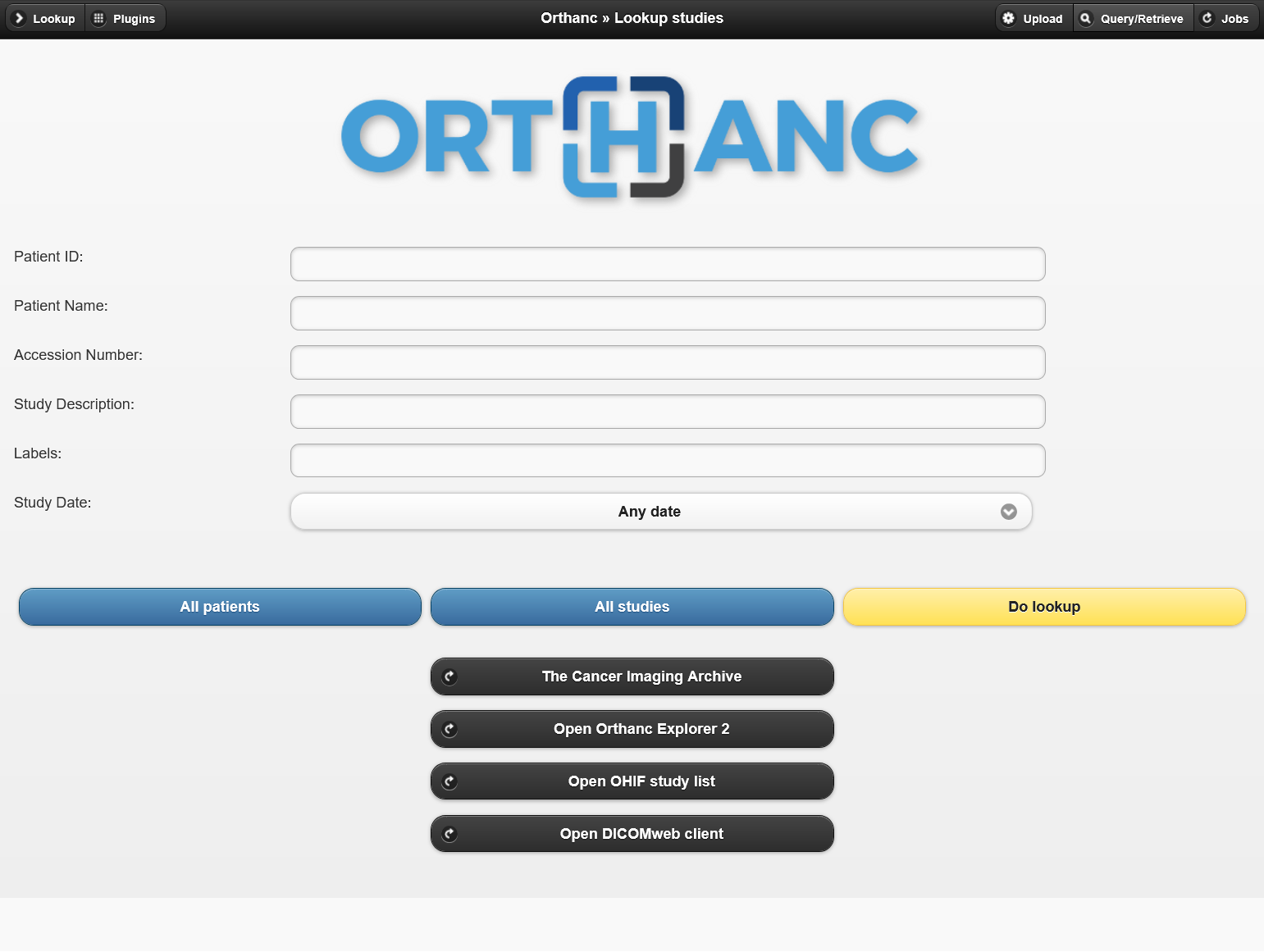
Dashboard.
Image
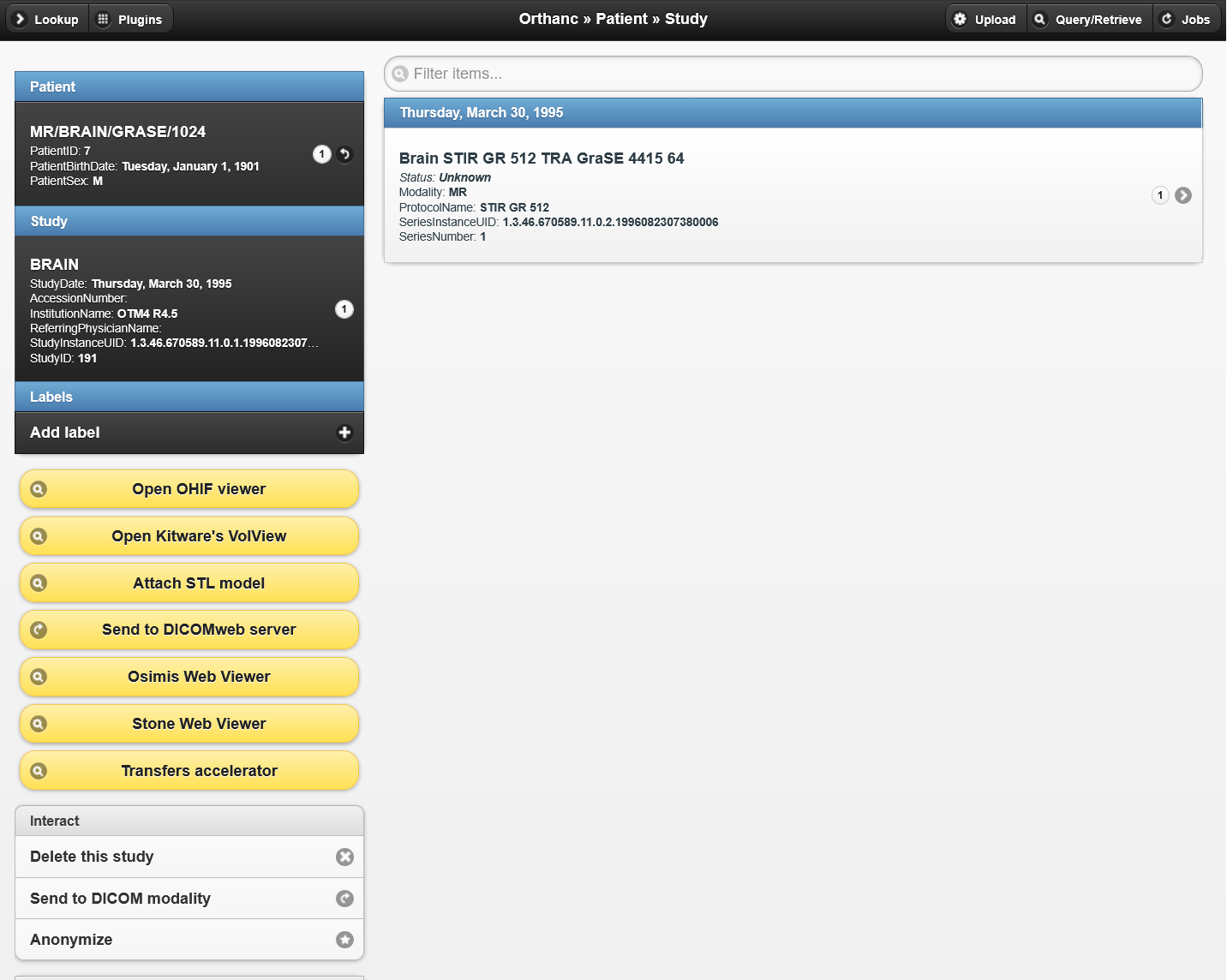
Patient->Study page.
Image
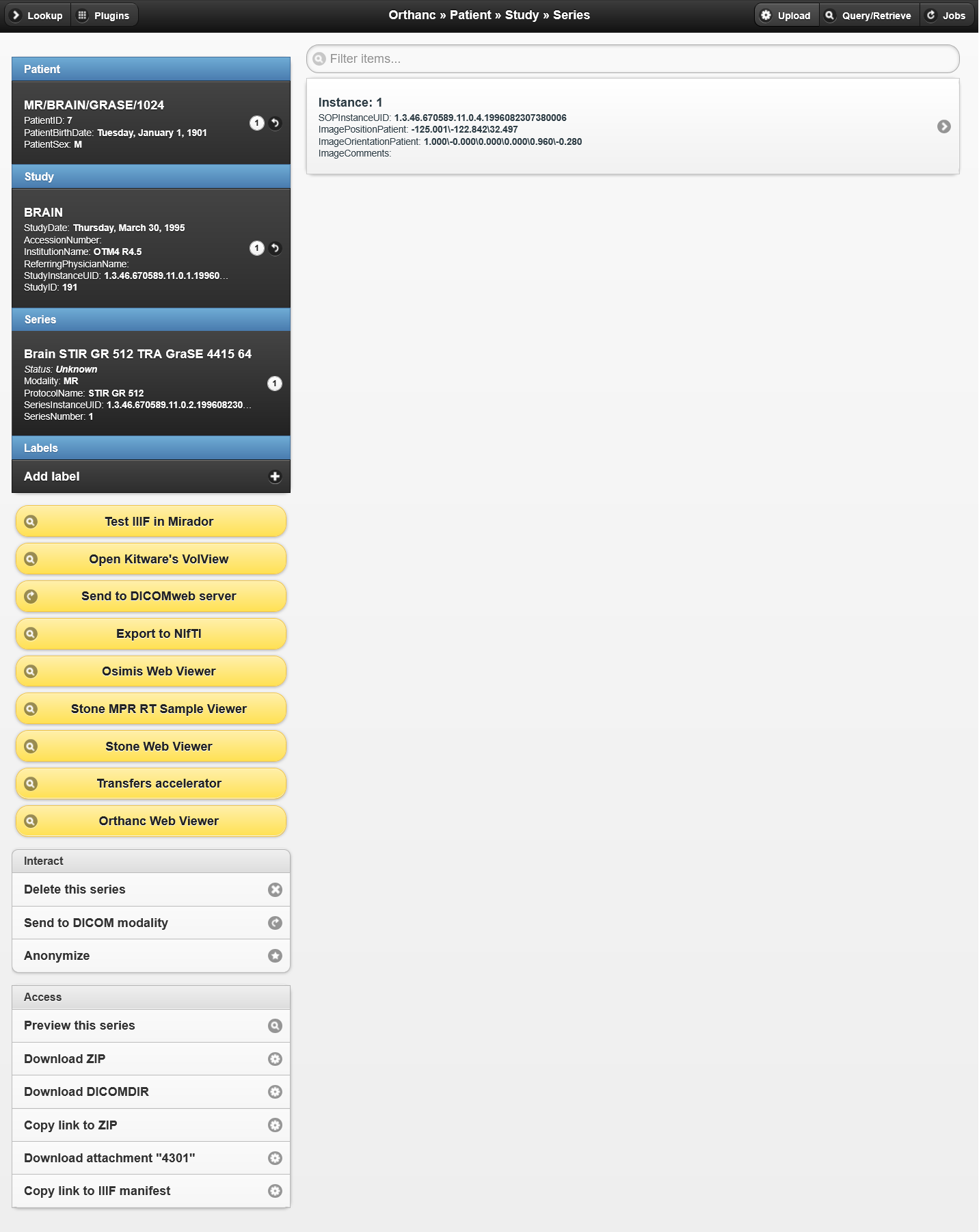
Patient->Study->Series page.
Image
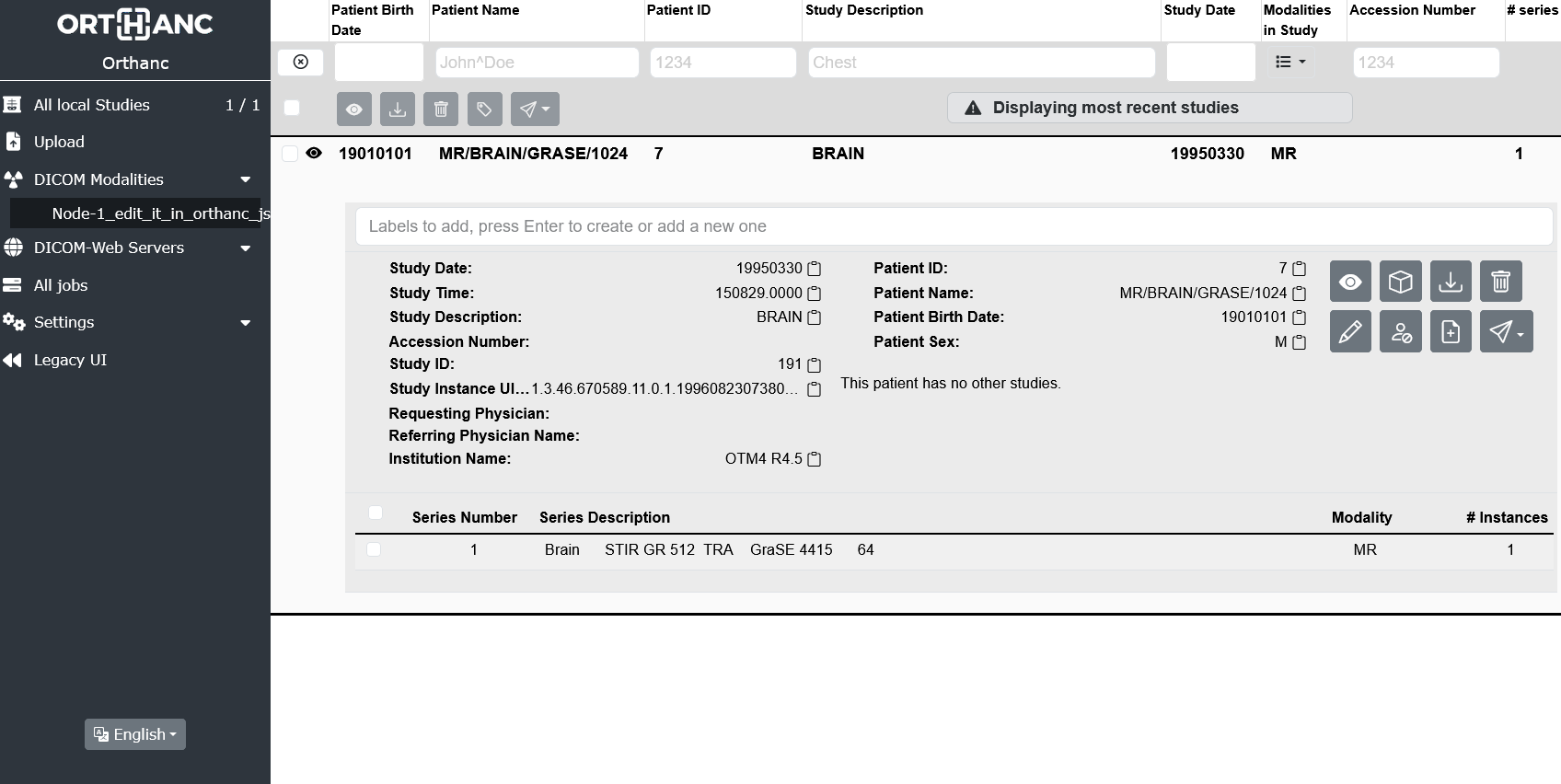
New interface.
Orthanc DICOM PACS Server - Medical Imaging for AWS
Orthanc is a lightweight, open-source DICOM PACS medical imaging server with a built-in web interface designed for healthcare organizations, radiology departments, and medical research teams. It simplifies DICOM workflows by letting users focus on the content of their medical images rather than the complexity of the DICOM format and protocol.
A free trial is available so you can evaluate the product before committing. Visit the Pricing tab for full details on costs and trial duration.
Why Deploy Orthanc on AWS?
This AMI is fully optimized for AWS. When deployed using the included CloudFormation template, an S3 bucket is automatically created and attached as file storage, giving you scalable, durable cloud storage for your DICOM archive. HTTPS access is automatically configured through a sslip.io hostname - even without a custom domain - so you can start securely accessing your server immediately after launch.
Key benefits of the AWS-native deployment:
- Instant readiness - Launch the AMI and begin uploading DICOM studies immediately. No complex server setup is required for basic use.
- Automated S3 integration - The CloudFormation template provisions and configures an S3 bucket for DICOM file storage automatically.
- Built-in HTTPS - Secure access is configured out of the box via sslip.io. If certificate issuance fails, a temporary self-signed certificate is used until the issue is resolved.
- Convenient web interface - Browse, search, and manage DICOM studies through a modern browser-based UI.
Use Cases
Radiology Department PACS Archive: Radiology departments can deploy Orthanc as a lightweight PACS to receive DICOM studies from imaging modalities (CT, MRI, X-ray), archive them to Amazon S3 for durable cloud storage, and enable clinicians to view studies through the built-in web viewers. The DICOMweb plugin supports integration with existing hospital systems via QIDO-RS, STOW-RS, and WADO-RS standards.
Medical Research and Image Analysis: Research teams working on automated analysis of medical images can use Orthanc to collect, organize, and manage DICOM datasets. The Python plugin allows researchers to write custom scripts that run directly within Orthanc, enabling automated image processing pipelines. The TCIA plugin provides direct access to The Cancer Imaging Archive for research datasets.
Multi-Site Imaging Workflows: Organizations operating across multiple locations can use the Transfers plugin to accelerate DICOM data movement between Orthanc peers, supporting teleradiology and multi-site collaboration. The Connectivity-checks plugin helps verify connections to DICOM modalities, DICOMweb servers, and peer instances.
Installed Plugins (25+)
Viewers and User Interfaces:
- Orthanc Explorer 2 - Advanced user interface for Orthanc
- OHIF plugin - Integration with the OHIF medical image viewer
- Stone-Webviewer - High-performance web-based DICOM viewer
- Osimis-Web-Viewer - Web viewer for DICOM series
- Kitware's VolView - 3D volume rendering viewer
- WSI - Whole-slide microscopic image viewer
Storage and Database:
- AWS S3 Storage - Store DICOM files in Amazon S3
- PostgreSQL index and storage plugins
- MySQL index and storage plugins
- Delayed-deletion - Asynchronous file removal from storage
- Housekeeper - Database and storage optimization
Interoperability and Standards:
- DICOMweb (QIDO-RS, STOW-RS, WADO-RS) and WADO-URI
- Transfers - Accelerated transfers and storage commitment between Orthanc peers
- Worklists - Serve DICOM modality worklists
- Connectivity-checks - Verify connections to DICOM modalities and servers
- Multitenant-dicom - Multi-tenant DICOM support
Processing and Extensibility:
- Python - Write and run custom Python scripts as Orthanc plugins
- GDCM - Medical image decoder and transcoder
- Neuro - NIfTI format support
- STL plugin - 3D model support
- Indexer - Synchronize with directories containing DICOM files
- TCIA - Interface with The Cancer Imaging Archive
- Serve-folders - Serve additional folders through Orthanc
Security:
- Authorization plugin for advanced access control (additional configuration required)
Getting Started
Deploy this AMI using the provided CloudFormation template for the fastest setup experience. The template automatically provisions your S3 storage bucket and configures HTTPS access. For plugins marked as requiring additional settings, refer to the official Orthanc documentation for configuration guidance.
To learn more about deployment options, request a walkthrough, or ask technical questions, use the support contact information provided in this listing.
(c) 2017-2026, Osimis S.A
Highlights
- AWS Cloud ready DICOM Server with AWS S3 support for file storage.
- Automated S3 Bucket creation and server configuration when deploying using the CloudFormation template.
- Easy-to-use. After launching, this medical imaging server is immediately operational. No server setup required for the simplest use.
Details
Sold by
Delivery method
Delivery option
Orthanc DICOM Server (automatic configuration of AWS S3 storage)
64-bit (x86) Amazon Machine Image (AMI)
Latest version
Operating system
Debian 13
Deployed on AWS
Features and programs
Financing for AWS Marketplace purchases
AWS Marketplace now accepts line of credit payments through the PNC Vendor Finance program. This program is available to select AWS customers in the US, excluding NV, NC, ND, TN, & VT.

Pricing
Free trial
Try this product free for 5 days according to the free trial terms set by the vendor. Usage-based pricing is in effect for usage beyond the free trial terms. Your free trial gets automatically converted to a paid subscription when the trial ends, but may be canceled any time before that.
Pricing is based on actual usage, with charges varying according to how much you consume. Subscriptions have no end date and may be canceled any time. Alternatively, you can pay upfront for a contract, which typically covers your anticipated usage for the contract duration. Any usage beyond contract will incur additional usage-based costs.
Additional AWS infrastructure costs may apply. Use the AWS Pricing Calculator to estimate your infrastructure costs.
If you are an AWS Free Tier customer with a free plan, you are eligible to subscribe to this offer. You can use free credits to cover the cost of eligible AWS infrastructure. See AWS Free Tier for more details. If you created an AWS account before July 15th, 2025, and qualify for the Legacy AWS Free Tier, Amazon EC2 charges for Micro instances are free for up to 750 hours per month. See Legacy AWS Free Tier for more details.
- ...
Dimension | Cost/hour |
|---|---|
t3.small Recommended | $0.063 |
t3.micro | $0.063 |
m5dn.2xlarge | $0.084 |
m5a.12xlarge | $0.084 |
m6a.xlarge | $0.063 |
m6i.metal | $0.084 |
m6a.32xlarge | $0.084 |
t3a.micro | $0.063 |
m5ad.large | $0.063 |
m5ad.8xlarge | $0.084 |
Dimensions summary
You pay by the hour for the EC2 instance size you run this DICOM server on. Every dimension is a compute instance option, so pricing scales with the hardware you choose. Smaller burstable instances (t2, t3, t3a families) suit light or occasional workloads. General-purpose families (m5, m5a, m5ad, m5d, m5dn, m5n, m5zn, m6a, m6i) offer a wide range of vCPU and memory sizes, up to large metal instances. You select the instance that matches your storage and processing needs. Hourly billing means you pay only for the time each instance runs.
Top-of-mind questions for buyers
The hourly rate covers the running software on the EC2 instance size you select. Charges accrue only while the instance runs. A stopped or powered-off instance stops the software hourly charge. Underlying AWS storage fees for the attached volume may still apply while the instance is stopped.
Cost is driven by the single instance type you choose and the number of hours it runs. Larger instance families with more vCPU and memory carry different hourly rates. You run one instance size at a time, so your bill reflects that size multiplied by its running hours.
Yes. This listing runs an Orthanc DICOM PACS server configured with AWS S3 support. Image data can be stored in S3, which is billed separately by AWS based on storage used. The hourly charge here applies only to the compute instance running the server.
www.adeoclouds.eu
Helpful?
Vendor refund policy
You may terminate the instance at anytime to stop incurring charges.

Legal
Vendor terms and conditions
Upon subscribing to this product, you must acknowledge and agree to the terms and conditions outlined in the vendor's End User License Agreement (EULA) .
Content disclaimer
Vendors are responsible for their product descriptions and other product content. AWS does not warrant that vendors' product descriptions or other product content are accurate, complete, reliable, current, or error-free.
Delivery details
64-bit (x86) Amazon Machine Image (AMI)
Amazon Machine Image (AMI)
An AMI is a virtual image that provides the information required to launch an instance. Amazon EC2 (Elastic Compute Cloud) instances are virtual servers on which you can run your applications and workloads, offering varying combinations of CPU, memory, storage, and networking resources. You can launch as many instances from as many different AMIs as you need.
Version release notes
Debian13 version. https://orthanc.uclouvain.be/hg/orthanc/file/Orthanc-1.13.0/NEWS
Additional details
Usage instructions
After deployment and initial startup, this server is ready for use. The web interface is available over HTTPS using a free Let's Encrypt SSL certificate that is automatically issued and renewed. Initial certificate setup may take a few minutes. Keep inbound TCP port 80 open for certificate issuance and renewal, and TCP port 8042 open for web access.
Linux username: admin
Old (classic) web interface:
- https://PUBLIC_IP.sslip.io:8042
- https://PUBLIC_IP:8042
- Default username: admin; initial password: your instance ID
New web interface:
- https://PUBLIC_IP.sslip.io:8042/ui/app/
- https://PUBLIC_IP:8042/ui/app/
- Default username: admin; initial password: your instance ID
Replace PUBLIC_IP with your server's public IP address. Accessing HTTPS directly by IP address will cause a certificate name mismatch.
To use your own domain and SSL certificate, first configure your domain's DNS records to point to the server's public IP address. Before replacing the certificate, disable SSLIP's automatic certificate management:
sudo systemctl disable --now orthanc-sslip-check.timer
sudo systemctl disable --now orthanc-sslip-check.service
sudo mv /etc/letsencrypt/renewal-hooks/deploy/orthanc-sslip.sh
/etc/letsencrypt/renewal-hooks/orthanc-sslip.sh.disabled
Place your private key, followed by your server certificate and intermediate certificates, in a single PEM file at the path specified by SslCertificate in /etc/orthanc/orthanc.json. Then restart Orthanc:
sudo systemctl restart orthanc
Renewal of your custom certificate must be managed separately.
Although the server is ready after startup, review and adjust its configuration for your tasks:
- Server and plugin configuration files: /etc/orthanc/
- Main Orthanc configuration file: /etc/orthanc/orthanc.json
After editing configuration files, restart Orthanc:
sudo systemctl restart orthanc
If you connect this server to other servers, use the Connectivity-checks plugin to check connections to configured DICOM modalities and Orthanc peers. Open the Plugins page in the classic Orthanc Explorer and select "connectivity-checks".
By default, Orthanc uses the instance's disk for file storage. To use an existing AWS S3 bucket, configure the AWS S3 Storage plugin in /etc/orthanc/aws-s3.json To test the S3 plugin, upload a test study using the Upload button in Orthanc Explorer and verify that new objects appear in your S3 bucket. Changing storage settings does not automatically migrate all existing studies.
For more information about Orthanc, visit: https://orthanc.uclouvain.be/book/index.html
Resources
Vendor resources
Support
Vendor support
If you have any questions regarding the deployment or use of this server, you can use the Contact Us form on our website or reach out via email. We guarantee a response within 24 hours.
Contact US: https://www.adeoclouds.eu/contact.php?id=8
E-mail: admin@adeoclouds.eu
AWS infrastructure support
AWS Support is a one-on-one, fast-response support channel that is staffed 24x7x365 with experienced and technical support engineers. The service helps customers of all sizes and technical abilities to successfully utilize the products and features provided by Amazon Web Services.
Updated weekly

By Flywheel

By Cloudian
Top
10
In Education & Research, Image, Healthcare & Life Sciences
Top
50
In Data Preparation
Top
100
In Storage
Sentiment is AI generated from actual customer reviews on AWS and G2
Functionality
Ease of use
Customer service
Cost effectiveness
Positive reviews
Mixed reviews
Negative reviews
AI generated from product descriptions
DICOM PACS Server Architecture
Lightweight, open-source DICOM PACS medical imaging server with built-in web interface for healthcare organizations and radiology departments.
Cloud Storage Integration
Automated Amazon S3 bucket provisioning and configuration for scalable, durable DICOM file storage through CloudFormation template deployment.
Medical Image Viewing Capabilities
Multiple integrated web-based DICOM viewers including OHIF plugin, Stone-Webviewer, Osimis-Web-Viewer, and Kitware's VolView for 3D volume rendering.
Interoperability Standards Support
DICOMweb protocol implementation supporting QIDO-RS, STOW-RS, WADO-RS, and WADO-URI standards for integration with existing hospital systems and peer instances.
Extensibility and Custom Processing
Python plugin framework enabling custom script development and execution within the server, plus support for GDCM transcoding, NIfTI format conversion, and automated image processing pipelines.
Medical Imaging Data Ingestion
Capability to ingest medical imaging data from multiple sources into a centralized platform
Data Curation and Standardization
Automated curation of medical imaging data to common standards for consistency and interoperability
Machine Learning Pipeline Automation
Automated processing and machine learning pipeline execution for algorithm development and model training
Data Privacy and Regulatory Compliance
Built-in security controls and compliance mechanisms to maintain data privacy and meet regulatory requirements
Collaborative Analytics Environment
Secure collaboration tools enabling multiple users to perform clinical analytics, cohort discovery, and model training at scale
S3 API Compatibility
Native S3 API support ensures full compatibility with applications designed to employ AWS S3 storage.
Data Encryption and Security
AES-256 server-side encryption for data at rest, SSL/HTTPS for data in transit, transparent key management, role-based access controls (RBAC), audit trail logging, and secure shell with root disable. Certified with U.S. Department of Defense, SEC Rule 17a-4(f), FINRA Rule 4511, CFTC Rule 1.31(c)-(d), Common Criteria EAL2 designation, and FIPS 140-2 Level 1 validation.
Scalable Local Storage Capacity
Highly scalable on-premises storage capacity deployed adjacent to AWS Outposts or Local Zones for local data access and optimized performance.
Multi-Tenant Storage Management
Bucket-level granularity for all storage policies with comprehensive multi-tenant services including Quality of Service (QoS) controls and access controls.
Hybrid Cloud Data Replication
Configurable data replication to Amazon S3 regions enabling hybrid cloud architecture with data locality and residency compliance.
Validated by AWS Marketplace
FedRAMP
GDPR
HIPAA
ISO/IEC 27001
PCI DSS
SOC 2 Type 2
No security profile
-
-
-
-
No security profile
Standard contract
No
Customer reviews
No customer reviews yet
Be the first to review this product . We've partnered with PeerSpot to gather customer feedback. You can share your experience by writing or recording a review, or scheduling a call with a PeerSpot analyst.