
Sold by: IBM Software
Deployed on AWS
IBM Maximo Visual Inspection (MVI) puts computer vision AI capabilities into the hands of your quality control and inspection teams. Conduct efficient remote and on-site inspections using not only mobile devices, but also drones, thermal and specialized imaging cameras, as well as fixed cameras installed on critical assets. With MVI your team can train and deploy AI models to monitor equipment conditions and detect anomalies in real time, regardless of location or the type of visual data source.
4.4
These options are for IBM Maximo Application Suite Inspection Essentials (SaaS).
View 4 other optionsOverview
Video
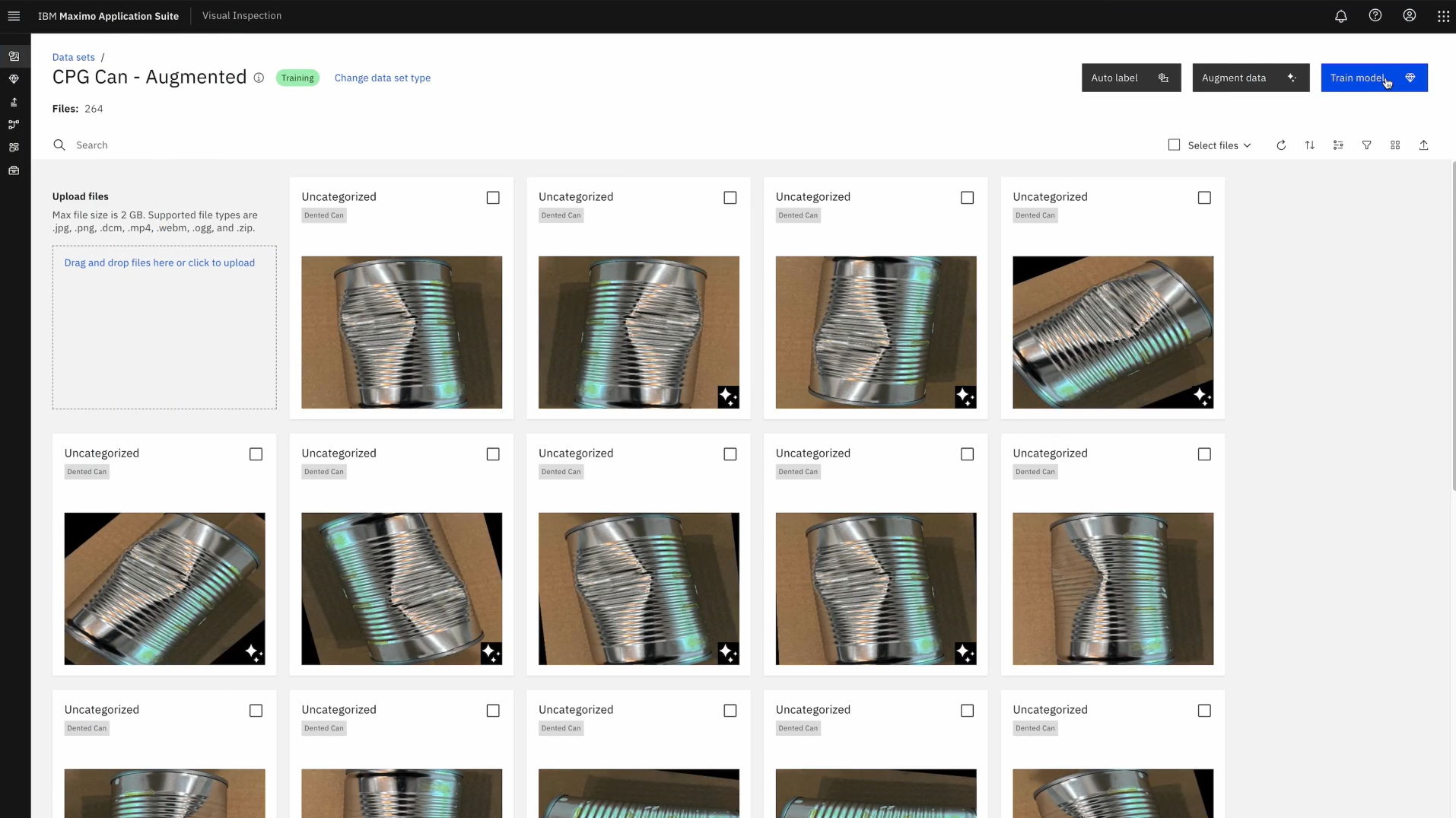
IBM Maximo Accelerate Defect Detection
Image
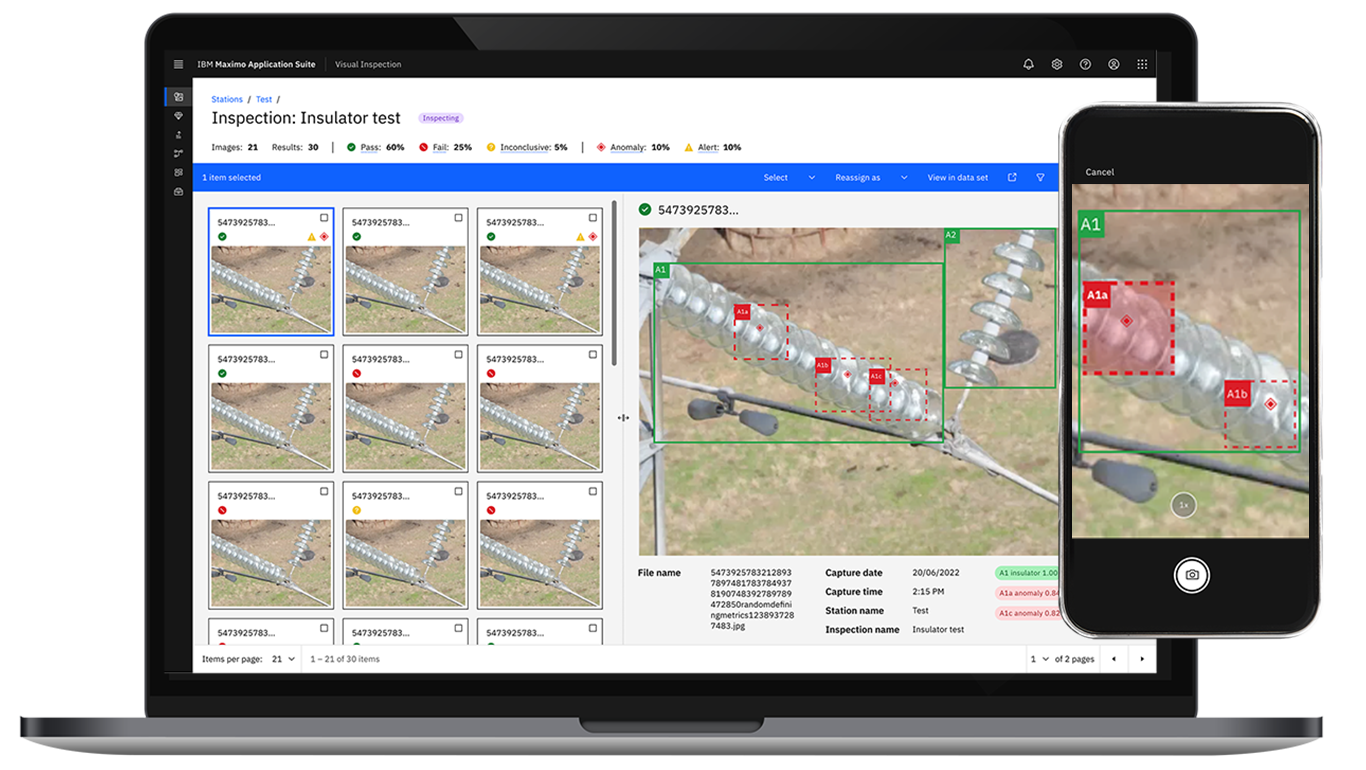
Visual Inspection on Edge Devices
Image
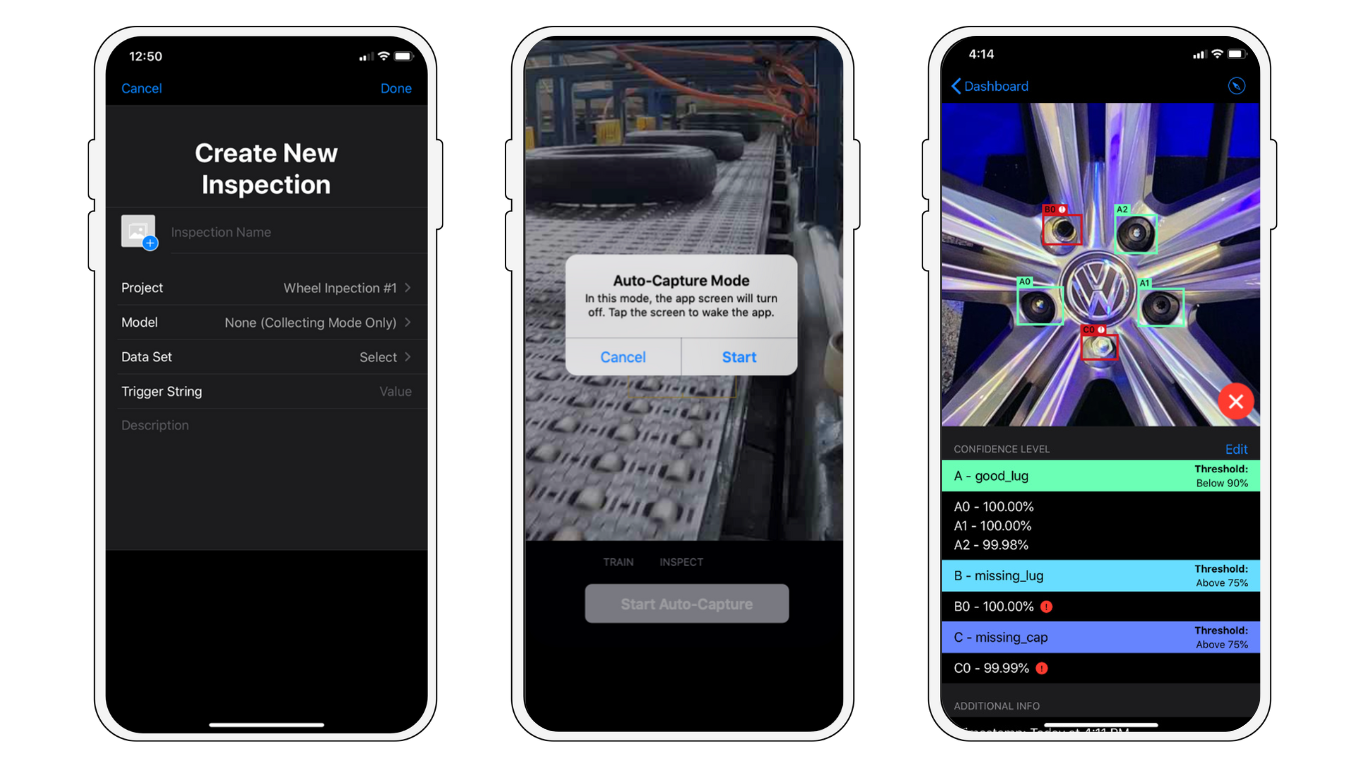
Visual Inspection on Mobile
Video
IBM Maximo and Sund & Baelt
IBM Maximo Visual Inspection (MVI) puts the power of computer vision AI capabilities into the hands of your quality control and inspection teams. It simplifies the use of computer vision and deep learning by providing an intuitive toolset for labeling. Technicians can easily train and deploy AI models using a user-friendly drag-and-drop interface.
Designed for fast and easy deployment, IBM Maximo Visual Inspection (MVI) uses AI-powered vision capabilities to enable organizations to quickly identify assets, product defects, anomalies, or deviations anytime, anywhere. With MVI Edge, AI models can be deployed at scale for real-time inspections using edge servers connected to high-resolution cameras, drones, specialized imaging systems, or vehicle-mounted devices. This solution enhances productivity, reduces downtime, and supports faster, more precise decision-making.
With IBM Maximo Inspection Essentials, you get IBM Maximo as an easy to acquire and simple to adopt solution with key computer vision features in an entry level configuration and with consistently reliable enterprise security and quality.
Looking to experience Maximo Visual Inspection before you buy? Sign up for the Maximo Application Suite trial at https://www.ibm.com/account/reg/us-en/signup?formid=urx-52271 .
To explore the full scope of MAS SaaS Essentials, Standard, and Premium Edition configurations, offering additional capacity, applications, and operational options, use the "Request private offer" button, or alternatively, contact your IBM Sales Representative, email AssetManagement@ibm.com , or visit https://www.ibm.com/products/maximo/pricing .
Highlights
- Maximo Inspection Essentials includes Maximo Visual Inspection (MVI), designed for fast and easy deployment, that uses AI-powered vision capabilities to enable organizations to quickly identify assets, product defects, anomalies, or deviations anytime, anywhere.
- With MVI, AI models can be deployed at scale for real-time inspections using edge servers connected to high-resolution cameras, drones, specialized imaging systems, or vehicle-mounted devices. This solution enhances productivity, reduces downtime, and supports faster, more precise decision-making.
- Easily scales up to IBM Maximo Application Suite SaaS Standard Edition, unlocking its comprehensive Enterprise Asset Management (EAM) and Asset Performance Management (APM) capabilities.
Details
Sold by
Categories
Delivery method
Deployed on AWS
Features and programs
Financing for AWS Marketplace purchases
AWS Marketplace now accepts line of credit payments through the PNC Vendor Finance program. This program is available to select AWS customers in the US, excluding NV, NC, ND, TN, & VT.

Pricing
Pricing is based on the duration and terms of your contract with the vendor, and additional usage. You pay upfront or in installments according to your contract terms with the vendor. This entitles you to a specified quantity of use for the contract duration. Usage-based pricing is in effect for overages or additional usage not covered in the contract. These charges are applied on top of the contract price. If you choose not to renew or replace your contract before the contract end date, access to your entitlements will expire.
Additional AWS infrastructure costs may apply. Use the AWS Pricing Calculator to estimate your infrastructure costs.
Dimension | Description | Cost/12 months | Overage cost |
|---|---|---|---|
Inspection Essentials | Visual Inspection: 5 Devices, 10K Inferences/Hr, 500 GB Storage | $46,412.00 |
Dimensions summary
This listing offers a single contract option delivered as software as a service. You buy one bundled unit that covers the Visual Inspection capability. Each unit includes a fixed allocation: 5 devices, 10,000 inferences per hour, and 500 GB of storage. Pricing does not break into separate tiers or add-ons here. Instead, you scale by purchasing more units, with each unit adding the same set of device, inference, and storage limits. This keeps the structure simple: one price point per unit, applied across the full contract term.
Top-of-mind questions for buyers
An inference is one image or video frame analyzed by the AI vision model to detect defects, anomalies, or equipment issues. Each unit lets the system process up to 10,000 such analyses per hour. Higher throughput needs mean buying more units, each adding another 10,000 per hour.
A device is a source that captures images or video for inspection. This includes mobile devices, cameras, drones, and edge-connected imaging systems. Each unit supports 5 such connected devices. To connect more than 5, you purchase additional units.
You scale by buying more units. Each unit adds the same fixed bundle: 5 devices, 10,000 inferences per hour, and 500 GB storage. The three limits do not scale separately, so you buy full units even if only one limit is the constraint.
www.ibm.com
Helpful?
Vendor refund policy
All orders are non-cancellable and all fees and other amounts paid are non-refundable.
Custom pricing options
Request a private offer to receive a custom quote.

Legal
Vendor terms and conditions
Upon subscribing to this product, you must acknowledge and agree to the terms and conditions outlined in the vendor's End User License Agreement (EULA) .
Content disclaimer
Vendors are responsible for their product descriptions and other product content. AWS does not warrant that vendors' product descriptions or other product content are accurate, complete, reliable, current, or error-free.
Delivery details
Software as a Service (SaaS)
SaaS delivers cloud-based software applications directly to customers over the internet. You can access these applications through a subscription model. You will pay recurring monthly usage fees through your AWS bill, while AWS handles deployment and infrastructure management, ensuring scalability, reliability, and seamless integration with other AWS services.
Resources
Support
Vendor support
IBM Maximo Application Suite clients receive Base Support, which provides strong business protection for production workloads. Alternately, clients who require higher tier, priority care to respond to critical support requests and drive faster case resolution subscribe to Advanced Support, which enables clients to tailor support to their business and environment.
Compare support options at https://www.ibm.com/support/pages/ibm-advanced-support-offering .
View the Maximo Application Suite as a Service Getting Started Guide at https://www.ibm.com/docs/mas-saas and view product documentation at https://www.ibm.com/docs/en/mas .
Click Get support to access product resources, open a case or chat with a support representative. https://www.ibm.com/mysupport/s/topic/0TO0z000000Zas8GAC/ maximo-application-suite
AWS infrastructure support
AWS Support is a one-on-one, fast-response support channel that is staffed 24x7x365 with experienced and technical support engineers. The service helps customers of all sizes and technical abilities to successfully utilize the products and features provided by Amazon Web Services.
Similar products

IBM Maximo Application Suite is an integrated asset lifecycle management solution that enables you to remotely maintain and manage all your assets throughout their entire lifecycle, from acquisition to disposal, all within a single unified platform. It uses AI, IoT and analytics to optimize equipment performance, extend asset lifecycles and reduce operational downtime and costs.

With IBM Maximo Lease Management Essentials, you get a clear and comprehensive management for lease portfolios of facilities and assets through a centralized lease
administration and accounting operation. It can streamline lease contract administration and accounting, lease payment processing, and detailed and required reporting.

With IBM Maximo Space Management Essentials, you get a powerful, integrated solution that helps facility strategists, real estate professionals, and workplace managers align physical spaces with the evolving needs of a dynamic workforce.

With IBM Maximo Capital Planning Essentials, you get robust functionalities for planning, executing, and tracking various aspects of capital projects - including budgeting, scheduling, resource allocation, and risk management.
Customer reviews
Keshav P.
AI-Driven Agentic Workflows That Elevate Lifecycle Management
Reviewed on Nov 17, 2026
Review provided by G2
What do you like best about the product?
It offers AI-driven, agentic workflows and helps with using AI in lifecycle management.
What do you dislike about the product?
It's expensive, and the UI is a little clumsy and dated.
What problems is the product solving and how is that benefiting you?
We can maintain workflows, monitor them, and plan them.
Krish .
Powerful Predictive Maintenance, but a Steep Learning Curve
Reviewed on Nov 17, 2026
Review provided by G2
What do you like best about the product?
I like that IBM Maximo Application Suite brings enterprise asset management, inventory, procurement, and maintenance together in one platform. It uses AI and IoT sensor data to monitor asset health and predict failures before they happen, helping teams move from reactive firefighting to proactive maintenance and reduce unplanned downtime. I also like that Maximo Visual Inspection uses computer vision with existing cameras or mobile devices to spot equipment defects automatically, without needing deep data science expertise. It connects with ERP platforms such as SAP and Oracle to synchronize purchasing, parts inventory, and cost accounting, and modern versions run in hybrid cloud environments through Red Hat OpenShift. I found it easy to use compared with Oracle ERP.
What do you dislike about the product?
I find the interface cluttered and unintuitive, especially for new users or field technicians. Finding old work orders, searching for specific assets, and setting up custom queues can require extensive training. I’d like simpler menus and role-based workspaces that show only relevant tools, along with context-aware AI and natural-language help for complex work orders and asset configurations.
What problems is the product solving and how is that benefiting you?
I use IBM Maximo Application Suite’s AI and IoT sensor data to monitor asset health and predict failures before they happen, shifting my team from reactive firefighting to proactive maintenance.
Bassem B.
Deep, flexible EAM; plan the MAS move carefully
Reviewed on Nov 12, 2026
Review provided by G2
What do you like best about the product?
I've worked with Maximo for years, first delivering implementations with an IBM partner and now as an IBM Business Partner implementing it for Canadian clients. What I like best is how deep it is for asset-intensive organizations: work management, preventive maintenance, inventory, inspections and asset hierarchies are all mature and configurable without heavy custom code. In MAS, the single AppPoints pool is a big improvement over the old per-module licensing. A client can start with Manage and later add Monitor, Health, Predict or Visual Inspection from the same entitlement instead of buying separate products. Maximo Mobile and the newer AI features, like Visual Inspection running inside Mobile inspection forms, also make it easier to connect field work back to the asset record.
What do you dislike about the product?
The move from Maximo 7.6 to MAS is a platform shift, not a normal upgrade, and many organizations underestimate it. MAS runs on Red Hat OpenShift, so teams suddenly need container, storage, certificate and identity skills they didn't need before, and changes like the move to Java 17 in 9.1 can break older customizations. AppPoints are flexible but hard for business owners to understand and size without help. And because Maximo is so configurable, environments tend to pile up custom fields, workflows and escalations that nobody uses anymore, with no easy built-in way to find and clean them up. That extra weight makes upgrades and testing slower than they need to be.
What problems is the product solving and how is that benefiting you?
For the organizations I work with (utilities, municipal, energy, oil and gas), Maximo is the system of record for assets and maintenance work. It replaces spreadsheets and disconnected tools with one place for asset hierarchies, work orders, PMs, inspections and spare parts, which gives maintenance teams traceability and makes audits much easier. The benefit is biggest when a client starts from a measurable business outcome, such as less unplanned downtime, better inspection coverage or fewer stock-outs, and then configures Maximo to support it, rather than just digitizing old processes. MAS also gives clients a path from preventive to condition-based and predictive maintenance on the same platform, using Monitor, Health, Predict and Visual Inspection.
mostafa s.
Powerful Enterprise EAM, But Requires Significant Technical Overhead
Reviewed on Nov 08, 2026
Review provided by G2
What do you like best about the product?
Enterprise Scalability & Centralized Asset Lifecycle
IBM Maximo Application Suite excels at tracking complete asset lifecycles across complex, multi-site infrastructure. Its centralized work order management and preventive maintenance scheduling greatly improve visibility, helping technical teams streamline audits and reduce unplanned downtime. For me, the biggest strength is having a single source of truth for asset health across enterprise deployment models, which makes oversight and coordination much easier.
What do you dislike about the product?
Deployment & Infrastructure Complexity
The move to an OpenShift-based architecture brings notable deployment and infrastructure overhead. Setting up, configuring, and maintaining the containerized stack requires specialized administrative expertise as well as substantial system resources. For standard EAM workflows, the overall middleware footprint can feel unnecessarily complex and resource-intensive, especially when compared with lighter SaaS alternatives.
What problems is the product solving and how is that benefiting you?
Multi-Site Operations & Preventative Maintenance
Problem Solved: Coordinating maintenance across multiple sites with fragmented tools often results in reactive repairs, missed service schedules, and limited central visibility into the health of critical equipment.
Benefits & Impact: Maximo brings work order tracking and asset lifecycle management into one centralized interface. It has helped us move away from reactive troubleshooting and toward a more structured preventive maintenance approach. As a result, we’ve improved operational uptime, strengthened compliance and audit readiness, and gained clearer asset telemetry across different locations.
Elnathan A.
Powerful AI Predictive Maintenance, but Implementation Can Be Complex and Costly
Reviewed on Nov 08, 2026
Review provided by G2
What do you like best about the product?
AI-powered predictive maintenance and insights.
What do you dislike about the product?
High implementation costs and complex configuration.
What problems is the product solving and how is that benefiting you?
Reduces downtime and improves asset It streamlines maintenance, reduces downtime, and improves productivity.