
Sold by: Madarson IT
Deployed on AWS
This product has charges associated with it for DISA STIG security hardening. Madarson IT pre-hardened Ubuntu 22.04 LTS AMI with DISA STIG controls applied, built for organizations pursuing ATO and federal security compliance on AWS.
These options are for Madarson IT Hardened Ubuntu 22.04 LTS DISA STIG AMI.
View 3 other optionsOverview
Image
DISA STIG AMI Features

Video
Madarson IT Hardened VM Image Intro
This is a repackaged software product wherein additional charges apply for DISA STIG security hardening.
Madarson IT Hardened Ubuntu 22.04 LTS - DISA STIG Compliant AMI
Deploy a pre-hardened Ubuntu 22.04 LTS instance on AWS with DISA STIG security controls already applied. Built by Madarson IT - a security-focused vendor publishing hardened and custom images across AWS, GCP, and Azure Marketplaces - this AMI eliminates weeks of manual hardening so your team can focus on achieving Authority to Operate (ATO) faster.
What You Get
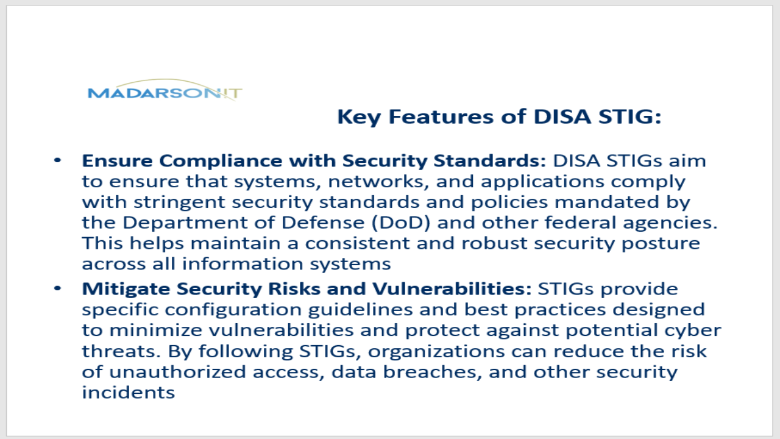
- Pre-applied DISA STIG controls for Ubuntu 22.04 LTS, covering operating system-level configuration, access controls, auditing, and encryption settings
- Ready-to-scan image compatible with OpenSCAP and SCAP Compliance Checker (SCC) for immediate compliance validation
- Regular updates aligned with new STIG releases and Ubuntu security patches
- Production-ready configuration that works out of the box on AWS EC2
Use Case: Accelerating ATO for Federal Workloads
A defense contractor or federal agency deploying workloads on AWS can launch this hardened AMI, run an automated SCAP scan to validate STIG compliance, and submit results as part of their eMASS or ATO documentation package. Instead of spending days manually applying hundreds of STIG controls to a vanilla Ubuntu image, teams start with a compliant baseline and address only the residual findings specific to their environment.
Key Capabilities
- Standardized Hardening: System-level STIG controls are pre-configured including file permissions, audit logging, password policies, kernel parameters, and network settings per DISA guidelines
- Compliance Validation Support: The image is built to produce favorable results when scanned with DISA-approved tools such as OpenSCAP or SCC, helping you document your security posture for auditors
- Continuous Maintenance: Madarson IT republishes updated images to reflect new STIG benchmark versions and critical Ubuntu security advisories
Getting Started
- Subscribe to this AMI on AWS Marketplace
- Launch an EC2 instance using the AMI
- Connect via SSH using your configured key pair
- Run an OpenSCAP or SCC scan to validate STIG compliance
- Address any environment-specific residual findings
- Document results for your ATO or compliance package
Requirements and Limitations
- This is a repackaged software product with additional charges for DISA STIG security hardening.
- This AMI addresses operating system-level STIG controls for Ubuntu 22.04 LTS. Application-layer STIGs (e.g., web server, database) require separate hardening by the buyer.
- Achieving formal ATO requires additional organizational steps beyond deploying a hardened image, including risk assessment, system security plan documentation, and assessor review.
- Buyers should run their own SCAP scan post-launch to validate compliance in their specific environment and document results for their accreditation package.
- Buyers should verify compatibility with their target EC2 instance types before deploying at scale.
About Madarson IT
Madarson IT certified images are always up to date, secure, follow industry standards, and are built to work right out of the box. Our DISA STIG-hardened images help organizations meet federal cybersecurity requirements efficiently and reliably.
Disclaimer
Canonical Ltd. holds the trademarks for Ubuntu and associated branding. Madarson IT does not provide commercial licenses for Ubuntu products.
Highlights
- Pre-Applied DISA STIG Controls: This AMI ships with operating system-level STIG hardening already configured - including file permissions, audit logging, password policies, kernel parameters, and network settings per DISA guidelines. Instead of spending days manually applying hundreds of individual controls to a vanilla Ubuntu 22.04 image, your team starts with a hardened baseline ready for compliance validation.
- Accelerated Path to ATO: Built specifically for organizations pursuing Authority to Operate on AWS, this image lets you launch a hardened instance, run an automated SCAP scan, and submit compliance evidence as part of your eMASS or ATO documentation package. Madarson IT maintains the image with regular updates aligned to new DISA STIG benchmark releases and Ubuntu security advisories, so your compliance baseline stays current without manual re-hardening.
- Cross-Cloud Security Expertise from Madarson IT: Madarson IT publishes DISA STIG-compliant hardened and custom images across AWS, GCP, and Azure Marketplaces, demonstrating proven experience in cloud security hardening at scale. Each image is built to follow industry standards, tested for compliance, and designed to work out of the box - reducing your team's operational burden and letting you focus on mission-critical workloads rather than baseline configuration.
Details
Sold by
Categories
Delivery method
Delivery option
64-bit (x86) Amazon Machine Image (AMI)
Latest version
Operating system
Ubuntu 22.04
Deployed on AWS
Features and programs
Financing for AWS Marketplace purchases
AWS Marketplace now accepts line of credit payments through the PNC Vendor Finance program. This program is available to select AWS customers in the US, excluding NV, NC, ND, TN, & VT.

Pricing
Pricing is based on actual usage, with charges varying according to how much you consume. Subscriptions have no end date and may be canceled any time.
Additional AWS infrastructure costs may apply. Use the AWS Pricing Calculator to estimate your infrastructure costs.
Dimension | Cost/hour |
|---|---|
m5.large Recommended | $0.05 |
d3.2xlarge | $0.20 |
c3.2xlarge | $0.20 |
g5.4xlarge | $0.40 |
t2.small | $0.025 |
r4.16xlarge | $1.60 |
m4.large | $0.05 |
p2.16xlarge | $1.60 |
g5.2xlarge | $0.20 |
m5.8xlarge | $0.80 |
Dimensions summary
You pay by the hour for the hardened Ubuntu 22.04 image, billed on top of standard AWS infrastructure charges. Pricing is not tiered by features. Instead, each dimension maps to a specific EC2 instance type, so your rate follows the compute size you pick. Options range from small burstable instances like t2.small and t3.medium to large compute, memory, storage, and GPU-focused instances such as c5.12xlarge, r5.16xlarge, i3.16xlarge, and g5.16xlarge. Larger instances cost more per hour. You choose the instance that fits your workload, and hourly billing scales with your usage.
Top-of-mind questions for buyers
The hourly rate covers the hardened Ubuntu 22.04 image license from Madarson IT. It applies per running instance-hour. You also pay standard AWS charges for the underlying EC2 compute you select. These are separate line items that combine on your bill.
The software fee meters running time only. A fully stopped instance stops accruing the hourly software charge. You may still incur AWS storage fees for attached volumes while the instance is stopped, since those are separate underlying infrastructure costs.
Every instance type runs the same Ubuntu 22.04 image, hardened to DISA STIG security controls. The image is validated and updated regularly with security patches, so instance choice affects compute size and price, not the security configuration you receive.
madarsonit.com
Helpful?
Vendor refund policy
There is no refund policy for this image.

Legal
Vendor terms and conditions
Upon subscribing to this product, you must acknowledge and agree to the terms and conditions outlined in the vendor's End User License Agreement (EULA) .
Content disclaimer
Vendors are responsible for their product descriptions and other product content. AWS does not warrant that vendors' product descriptions or other product content are accurate, complete, reliable, current, or error-free.
Delivery details
64-bit (x86) Amazon Machine Image (AMI)
Amazon Machine Image (AMI)
An AMI is a virtual image that provides the information required to launch an instance. Amazon EC2 (Elastic Compute Cloud) instances are virtual servers on which you can run your applications and workloads, offering varying combinations of CPU, memory, storage, and networking resources. You can launch as many instances from as many different AMIs as you need.
Version release notes
Hardened Ubuntu 22.04 LTS image with DISA STIG Benchmarks.
Additional details
Usage instructions
Allow inbound SSH access in your security group (TCP port 22) To connect to your instance using the Amazon EC2 console: Open the Amazon EC2 console at https://console.usvm.9mmj.com/ec2/ .
In the navigation pane, choose Instances.
Select the instance and choose Connect. Choose the EC2 Instance Connect tab. For Connection type, choose Connect using EC2 Instance Connect. Access the ec2 with the default username: "ubuntu"
Resources
Vendor resources
Support
Vendor support
Madarson IT Support
For questions about this hardened Ubuntu 22.04 LTS DISA STIG AMI - including deployment assistance, compliance inquiries, private offers, and audit support - contact Madarson IT at info@madarsonit.com .
Our team can assist with:
- Pre-purchase compliance consultations and private offer requests
- Post-deployment configuration questions and troubleshooting
- Guidance on running SCAP scans and interpreting compliance results
- Questions about STIG control coverage and residual findings
Please include your AWS Account ID and a description of your issue or request when contacting support to help us respond efficiently.
AWS infrastructure support
AWS Support is a one-on-one, fast-response support channel that is staffed 24x7x365 with experienced and technical support engineers. The service helps customers of all sizes and technical abilities to successfully utilize the products and features provided by Amazon Web Services.
Similar products

This product has charges associated with it for DISA STIG security hardening. Madarson IT pre-hardened Ubuntu 24.04 LTS AMI with DISA STIG benchmarks applied. Deploy a compliance-ready EC2 instance for DoD and federal security requirements.

This product has charges associated with it for DISA STIG security hardening. Madarson IT pre-hardened Ubuntu 26.04 LTS AMI meeting DISA STIG requirements for U.S. Government, DoD, and defense contractor workloads - deploy audit-ready instances without manual remediation.

This product has charges associated with it for security hardening. Madarson IT's Level 2 hardened Ubuntu 22.04 LTS AMI delivers pre-configured security controls for compliance-driven teams in healthcare, finance, and regulated industries.

This product has charges associated with it for security hardening and compliance alignment. Madarson IT pre-hardened Ubuntu 22.04 LTS AMI with foundational security controls - deploy audit-ready EC2 instances aligned to NIST CSF, PCI DSS, and HIPAA frameworks in minutes.
Customer reviews
No customer reviews yet
Be the first to review this product . We've partnered with PeerSpot to gather customer feedback. You can share your experience by writing or recording a review, or scheduling a call with a PeerSpot analyst.