
Sold by: PuzariCloud
Deployed on AWS
Free Trial
AWS Free Tier
Get alerts on Slack or email when your EKS node groups fall behind the latest recommended AMI, add-ons have updates or would block your next Kubernetes upgrade, or AWS patches your control plane. Read-only role, no agent.
Overview
Problem
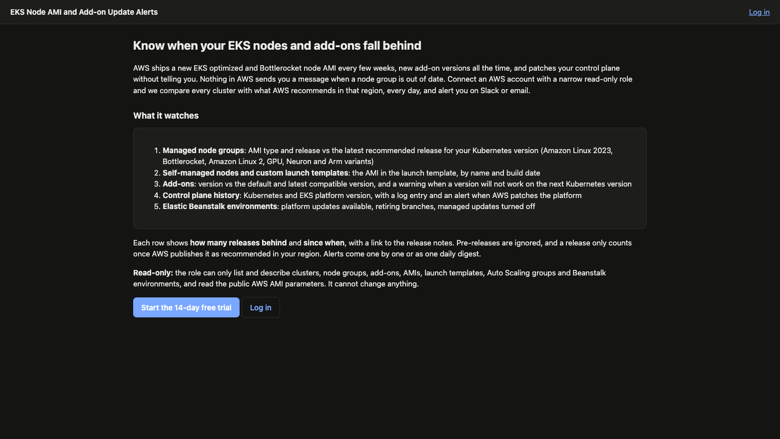
AWS publishes a new EKS optimized or Bottlerocket node AMI every few weeks, ships new add-on versions often, and patches the EKS control plane platform version without notice. Nothing tells you when your node groups are out of date. Teams find out during an audit, after a CVE, or when an add-on version blocks a Kubernetes upgrade. The release feed people subscribe to as a workaround fires on pre-releases and says nothing about your clusters.
What it does
-
Managed node groups: compares each group's AMI type and release version with the latest recommended release AWS publishes for its Kubernetes version in that region (Amazon Linux 2023, Bottlerocket, Amazon Linux 2, GPU, Neuron, Arm and FIPS variants).
-
Self-managed nodes and custom launch templates: reads the AMI in the launch template and compares it by name and build date. Custom AMIs are checked against your age limit.
-
Add-ons: current version vs the default and the latest compatible version, with a warning when the version will not work on the next Kubernetes minor version and the first version that will.
-
Control plane history: Kubernetes and EKS platform version per cluster, with a dated "AWS patched your control plane" log.
-
Elastic Beanstalk: platform update available, deprecated or retired platform branch, managed platform updates turned off.
-
Status board across accounts and regions: behind by N releases, newer available since , AMI age, release notes link, CSV export.
-
Alerts on Slack and email, as they happen or as one daily digest: new AMI release for a group, group older than your limit, add-on update, add-on that blocks the next upgrade, platform patch, Beanstalk updates.
Security and access
You deploy a CloudFormation template that creates one IAM role (PuzariCloud-EksUpdates). Only our AWS account can assume it, and only with your External ID. The role can only list and describe EKS clusters, node groups and add-ons, AMIs, launch template versions, Auto Scaling groups and Elastic Beanstalk environments, and read AWS's public AMI parameters under /aws/service/eks and /aws/service/bottlerocket. It cannot change anything, and nothing is installed in your clusters. We keep names and version numbers only.
Launch template user data and Beanstalk environment properties are never stored. Delete the stack to revoke access.
Typical uses
- Keep node AMIs within a 30 or 45 day patch policy across all clusters, with proof in a CSV.
- Hear about a new Bottlerocket or AL2023 release the day AWS recommends it in your region, without pre-release noise.
- Find add-ons that must be updated before the next Kubernetes upgrade.
- Know when AWS changed your control plane platform version, for change logs and incident reviews.
- Keep Elastic Beanstalk environments on current platforms.
Who it is for
Platform and DevOps teams running EKS in one or many AWS accounts, SREs who own patching SLAs, and consultancies looking after client clusters. No Kubernetes agent and no cluster credentials are needed.
Getting started
- Subscribe and create your workspace.
- Click Launch stack to create the read-only role, then paste its ARN and pick your regions.
- The first scan runs right away. Add a Slack webhook or emails, and pick instant or daily digest.
Pricing
Contract pricing, billed through AWS Marketplace. Plans start at $29 per month (Starter), then $79 (Pro) and $199 (Business); yearly contracts cost 10 times the monthly price. A 14-day free trial is available.
Start the 14-day free trial and see which of your node groups are behind in five minutes.
Highlights
- One board for every cluster: each node group and add-on shows how many releases it is behind and since when, with release notes.
- Alerts only when AWS recommends the release in your region. Pre-releases are ignored, and AMIs older than your patch limit are flagged.
- Logs every control plane platform patch AWS applies, plus Elastic Beanstalk platform updates. Uses a read-only IAM role.
Details
Features and programs
Financing for AWS Marketplace purchases
AWS Marketplace now accepts line of credit payments through the PNC Vendor Finance program. This program is available to select AWS customers in the US, excluding NV, NC, ND, TN, & VT.

Pricing
Free trial
Try this product free according to the free trial terms set by the vendor.
Pricing is based on the duration and terms of your contract with the vendor. This entitles you to a specified quantity of use for the contract duration. If you choose not to renew or replace your contract before it ends, access to these entitlements will expire.
Additional AWS infrastructure costs may apply. Use the AWS Pricing Calculator to estimate your infrastructure costs.
Dimension | Description | Cost/month |
|---|---|---|
Starter | Starter: up to 2 EKS clusters, 1 region per account, Slack and email alerts | $29.00 |
Pro | Pro: up to 10 EKS clusters, 4 regions per account, Slack and email alerts | $79.00 |
Business | Business: up to 50 EKS clusters, all regions, Slack and email alerts | $199.00 |
Vendor refund policy
Full refund within 14 days of a new subscription if the product doesn't work for you. After that, cancel any time and you won't be renewed; we don't refund partial periods. To request a refund, email support@puzaricloud.in with your AWS account ID.

Legal
Vendor terms and conditions
Upon subscribing to this product, you must acknowledge and agree to the terms and conditions outlined in the vendor's End User License Agreement (EULA) .
Content disclaimer
Vendors are responsible for their product descriptions and other product content. AWS does not warrant that vendors' product descriptions or other product content are accurate, complete, reliable, current, or error-free.
Delivery details
Software as a Service (SaaS)
SaaS delivers cloud-based software applications directly to customers over the internet. You can access these applications through a subscription model. You will pay recurring monthly usage fees through your AWS bill, while AWS handles deployment and infrastructure management, ensuring scalability, reliability, and seamless integration with other AWS services.
Resources
Support
Vendor support
Support
Email support@puzaricloud.in . We reply within one business day.
Support tiers and scope
- All plans: email support@puzaricloud.in . Scope: connecting your AWS account (CloudFormation role), product features, alerts, billing and plan questions.
- Starter: reply within 1 business day.
- Pro: priority queue, reply within 1 business day, help with multi-account setup.
- Business: reply the same business day (IST), onboarding call on request.
Escalation
If an alert or scan stops working, or a reply is late, email support@puzaricloud.in with URGENT in the subject. It goes straight to the founder and is handled the same day.
Plans
- Starter: 2 EKS clusters, 1 region per connected AWS account.
- Pro: 10 EKS clusters, 4 regions per account.
- Business: 50 EKS clusters, all regions. Elastic Beanstalk environments in the selected regions are included in every plan. The 14-day free trial works like Starter.
Refunds
Full refund within 14 days of your first paid subscription. Email support@puzaricloud.in with your AWS account ID.
AWS infrastructure support
AWS Support is a one-on-one, fast-response support channel that is staffed 24x7x365 with experienced and technical support engineers. The service helps customers of all sizes and technical abilities to successfully utilize the products and features provided by Amazon Web Services.
Similar products

Instana Operator is a free, Kubernetes-native observability solution designed to run on Amazon EKS. Available as an Amazon EKS add-on, it provides real-time metrics, distributed traces, and AI-powered alerts - deployable in just a few clicks.

Run Amazon Elastic Kubernetes Service (EKS) clusters on Ubuntu and get the advantage of managed Kubernetes with the Ubuntu ecosystem.

Run Amazon Elastic Kubernetes Service (EKS) clusters on Ubuntu and get the advantage of managed Kubernetes with the Ubuntu ecosystem.

Run Amazon Elastic Kubernetes Service (EKS) clusters on Ubuntu Pro and get the advantage of managed Kubernetes and the Ubuntu Pro security features.
Customer reviews
No customer reviews yet
Be the first to review this product . We've partnered with PeerSpot to gather customer feedback. You can share your experience by writing or recording a review, or scheduling a call with a PeerSpot analyst.