
Sold by: Data Destination
Deployed on AWS
AIFlow is an AI gateway you deploy in your own AWS account. It gives Amazon Bedrock, OpenAI, Anthropic and other LLM providers one OpenAI-compatible API, with sign-in through your identity provider, budgets and rate limits per user and team, and a cost record for every request. Runs on Amazon ECS with AWS Fargate.
Overview
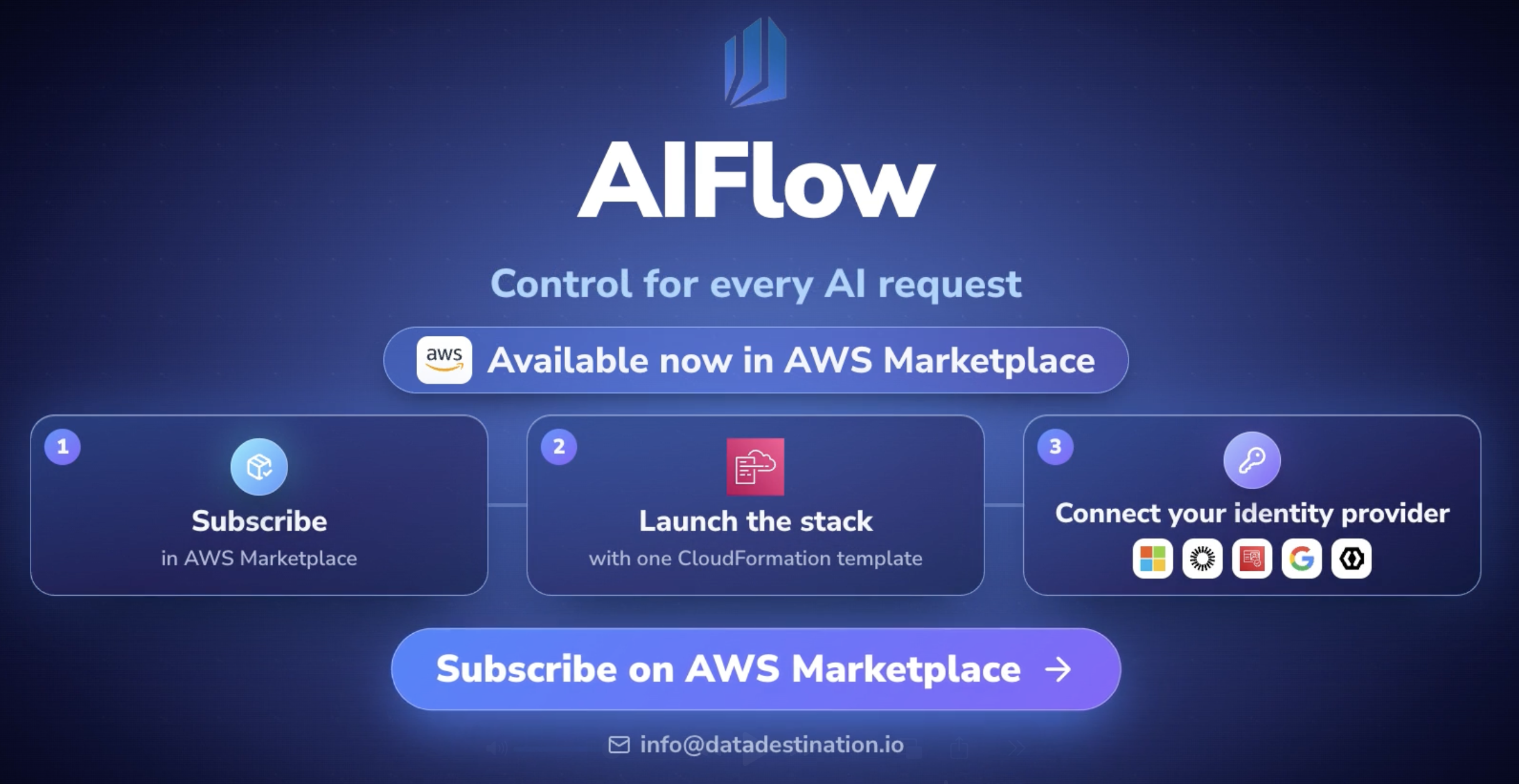
AIFlow: Enterprise AI Gateway and Governance Platform
Most companies end up with AI access spread across teams - separate provider keys, no shared limits, and an AI bill nobody can explain. AIFlow gives you one controlled entry point for every AI request across your organization, deployed entirely within your own AWS account.
Drop-In Compatibility, Multi-Provider Routing
Applications call AIFlow using the OpenAI API format they already use - no code changes required. AIFlow routes each request to Amazon Bedrock, OpenAI, Anthropic, or another provider you configure, and can automatically fall back to another model when one fails. For agentic workflows, the MCP gateway decides which agents can call which MCP servers and records every tool call.
Enterprise Identity and Access Control
Access follows your organization. Users sign in through Microsoft Entra ID, Okta, or any OpenID Connect provider, and SCIM keeps users and groups in sync automatically. Administrators assign roles, issue virtual API keys, and set budgets and rate limits per user, team, and provider. The gateway enforces these controls on every request, so a team that reaches its budget is stopped before it overspends.
Real-Time Cost Visibility and Optimization
Every request is recorded with its user, team, model, tokens, and cost. Finance teams see spend as it happens, and platform teams can trace any request back to its source. Optional token compression shortens long prompts before they reach the model, reducing token costs without sacrificing output quality.
Security-First Architecture
AIFlow runs entirely in your AWS account - not in a shared SaaS environment. The deployment includes Amazon ECS on AWS Fargate behind your own domain, with an encrypted Amazon RDS for PostgreSQL database, deployed in a new or existing VPC. AIFlow sends no usage data, prompts, or responses to the seller. Your data stays within your infrastructure boundary, giving your security team full control over network policies, access, and audit trails.
Deploy in Minutes on AWS
One AWS CloudFormation template deploys AIFlow in about 20 minutes. The stack provisions ECS tasks on Fargate, an encrypted RDS PostgreSQL database, and the necessary networking within your VPC. Licensing is managed through AWS License Manager. AIFlow requires outbound internet access to reach AWS License Manager, your AI model providers, and your identity provider. For pricing details, see the Pricing tab on this listing.
Get Started and Evaluate AIFlow
To get started, subscribe through AWS Marketplace and deploy the CloudFormation template into your AWS account. If you want to explore AIFlow before committing, you can request a guided demo or discuss a proof-of-concept deployment with the Data Destination team through the contact options on this listing. Use the Request a Demo or Contact Sales buttons above to connect directly with the team.
Who AIFlow Is Built For
- Platform engineering teams consolidating multiple LLM provider accounts into a single governed gateway
- Finance and FinOps teams seeking real-time visibility into AI spend by team, user, and model
- Security and compliance teams requiring that all AI traffic stays within the organization's own AWS account
- Engineering leaders who need to enforce budgets and rate limits before costs spiral across dozens of teams
Key Capabilities at a Glance
- OpenAI-compatible API endpoint - no application code changes needed
- Multi-provider routing with automatic failover across Amazon Bedrock, OpenAI, Anthropic, and more
- MCP gateway for governing agent-to-tool interactions
- SSO via Microsoft Entra ID, Okta, or any OIDC provider with SCIM sync
- Per-user, per-team, and per-provider budgets and rate limits
- Full request audit log with user, team, model, token, and cost attribution
- Token compression to reduce prompt costs
- Deploys entirely within your AWS account via CloudFormation in approximately 20 minutes
About Data Destination
AIFlow is built and maintained by Data Destination, a team focused on enterprise AI infrastructure and governance. To learn more about the team or discuss how AIFlow fits your organization, reach out through the contact options on this listing.
Highlights
- One OpenAI-compatible API for Amazon Bedrock, OpenAI, Anthropic and other providers, with model routing and fallbacks, plus an MCP gateway that controls which agents can call which tools.
- Sign-in through Microsoft Entra ID, Okta or any OIDC provider, SCIM user provisioning, roles, virtual API keys, and budgets and rate limits per user, team and provider, enforced on every request.
- Every request is logged with user, team, model, tokens and cost, so finance and platform teams see AI spend as it happens. Optional token compression shortens long prompts to lower token costs.
Details
Sold by
Categories
Delivery method
Supported services
Delivery option
AIFlow on Amazon ECS (CloudFormation)
Latest version
Operating system
Linux
Deployed on AWS
Features and programs
Financing for AWS Marketplace purchases
AWS Marketplace now accepts line of credit payments through the PNC Vendor Finance program. This program is available to select AWS customers in the US, excluding NV, NC, ND, TN, & VT.

Pricing
Pricing is based on the duration and terms of your contract with the vendor. This entitles you to a specified quantity of use for the contract duration. If you choose not to renew or replace your contract before it ends, access to these entitlements will expire.
Additional AWS infrastructure costs may apply. Use the AWS Pricing Calculator to estimate your infrastructure costs.
Dimension | Description | Cost/month |
|---|---|---|
Enterprise Platform License | Full access to all platform features with unlimited requests and token processing during the contract term | $9,999.00 |
Vendor refund policy
Buyers may request a full refund of the Platform Fee within 7 days of initial subscription. To request a refund, contact info@datadestination.io with your AWS account ID and subscription ID. Please allow 2 business days for a response.

Legal
Vendor terms and conditions
Upon subscribing to this product, you must acknowledge and agree to the terms and conditions outlined in the vendor's End User License Agreement (EULA) .
Content disclaimer
Vendors are responsible for their product descriptions and other product content. AWS does not warrant that vendors' product descriptions or other product content are accurate, complete, reliable, current, or error-free.
Delivery details
AIFlow on Amazon ECS (CloudFormation)
Supported services: Learn more
- Amazon ECS
Container image
Containers are lightweight, portable execution environments that wrap server application software in a filesystem that includes everything it needs to run. Container applications run on supported container runtimes and orchestration services, such as Amazon Elastic Container Service (Amazon ECS) or Amazon Elastic Kubernetes Service (Amazon EKS). Both eliminate the need for you to install and operate your own container orchestration software by managing and scheduling containers on a scalable cluster of virtual machines.
Version release notes
AIFlow 1.0.0 - first AWS Marketplace release
- Self-hosted AI gateway, MCP gateway and governance console on Amazon ECS (AWS Fargate), deployed with one CloudFormation template.
- Contract licensing through AWS License Manager. No usage metering.
- Sign-in through your own OpenID Connect identity provider, set up with a one-time setup link. No passwords.
- New VPC or existing VPC deployment, internet-facing or internal load balancer, ARM64 or x86_64.
- Images: aiflow-console, aiflow-gateway, aiflow-identity, aiflow-compression (linux/amd64 and linux/arm64).
Additional details
Usage instructions
AIFlow on Amazon ECS (AWS Fargate) - usage instructions
BEFORE YOU START
- A domain for AIFlow (for example company.com). The console runs on the domain; login.company.com, gateway.company.com and api.company.com serve sign-in and the AI gateway. You need a public Route 53 hosted zone for the domain (the stack creates the certificate and DNS records) or an ACM certificate in the deployment region for company.com and *.company.com.
- An OpenID Connect identity provider (Microsoft Entra ID, Okta, Amazon Cognito, Google Workspace, Keycloak or any OIDC provider). AIFlow has no password sign-in.
- Permission to create VPC, ECS, RDS, ELB, IAM, Secrets Manager, CloudWatch Logs, ACM and Route 53 resources.
DEPLOY
- Subscribe, wait until the license shows in AWS License Manager (up to 10 minutes), then choose Continue to Configuration and Continue to Launch.
- Open the CloudFormation template link below and choose the region.
- Set DomainName, and HostedZoneId or CertificateArn.
- Network: keep NetworkMode=new to create a VPC, or set NetworkMode=existing with ExistingVpcId, LoadBalancerSubnetIds, AppSubnetIds, optional DatabaseSubnetIds and AppSubnetType. A pre-flight check stops the stack with a clear message if the subnets cannot work.
- Optional: LoadBalancerScheme=internal, AllowedIngressCidr, CpuArchitecture, task counts, database size, EnableBedrockAccess, LogRetentionDays.
- Acknowledge IAM resource creation and create the stack (about 20 minutes).
- If you used CertificateArn, create DNS records for DomainName and *.DomainName that point at the LoadBalancerDnsName output.
FIRST-RUN SETUP
- Open the SetupLinkSecret output, choose Retrieve secret value, copy "token".
- Browse to https://<DomainName>/setup#token=<token>.
- Choose your identity provider, register the redirect URI shown on the page in your provider's app registration, enter its issuer URL, client ID and secret, and the first administrator's email. Test the connection and save.
- Sign in at https://<DomainName>/ as that administrator. Setup closes when the first administrator signs in.
NETWORK The tasks need outbound internet access (NAT gateway or public IP) to pull images and reach AWS License Manager, your AI model providers and your identity provider. AIFlow sends no usage, prompts or responses to the seller. Inbound traffic reaches only the load balancer (443, and 80 redirected to 443).
SUPPORT info@datadestination.io
Support
Vendor support
Getting Support
For documentation requests, deployment assistance, configuration help, or troubleshooting, contact the AIFlow support team by email at info@datadestination.io .
What Is Covered
The Data Destination team will work with you to resolve issues related to deploying and operating AIFlow in your AWS environment, including:
- CloudFormation stack deployment and updates
- Identity provider integration (Microsoft Entra ID, Okta, OIDC, SCIM)
- Budget and rate-limit configuration
- Model routing and MCP gateway setup
- Cost reporting and observability
Submitting a Request
Please include the following when submitting a support request so the team can assist you as quickly as possible:
- Your AWS account ID
- A description of the issue or question
- Any relevant log output or error messages
- The AIFlow version you are running
Refunds
For questions about billing or to request a refund, contact the Data Destination team at info@datadestination.io or use the AWS Marketplace subscription management page.
AWS infrastructure support
AWS Support is a one-on-one, fast-response support channel that is staffed 24x7x365 with experienced and technical support engineers. The service helps customers of all sizes and technical abilities to successfully utilize the products and features provided by Amazon Web Services.
Similar products

Airia discovers shadow AI, enforces runtime guardrails across models and agents, and maps compliance evidence to EU AI Act, ISO 42001, and NIST AI RMF.

FlowAMP delivers enterprise-grade observability, governance, and compliance for AI agent fleets running on Amazon Bedrock and AgentCore giving executives a single pane of glass across every deployed agent, policy, and dollar spent.
Airia is the enterprise AI security, orchestration, and governance platform that enables organizations to deploy AI quickly, safely, and at scale. Built for even the most complex and regulated environments, Airia reduces vulnerabilities in agentic ecosystems and streamlines workflows across agents, models, and an organization’s applications and data sources. Airia removes the complexity that often accompanies AI adoption, allowing enterprises to operationalize AI with trust, control, and measurable impact. Today, hundreds of organizations around the world are transforming the way they work with Airia.

MAI Gateway unifies enterprise LLM governance with budget control, intelligent routing, audit trails, and security compliance for AI workloads.
Customer reviews
No customer reviews yet
Be the first to review this product . We've partnered with PeerSpot to gather customer feedback. You can share your experience by writing or recording a review, or scheduling a call with a PeerSpot analyst.